Set up the ShotScope project
The recorded channels are configured in a TwinCAT Measurement project. Using the preconfigured transfer in the TwinCAT PLC project, you can transfer the ShotScope configuration to your target system without any additional steps. However, if you'd like to add more channels, the following instructions will help you set up your ShotScope project.
 | Be sure to note this option when creating the PLC project! When creating the PLC project, you should select the option “Place solution and project in the same directory” to use ShotScope without any additional configuration. |
| Do you already have your own project? If you want to add ShotScope to an existing project, follow the instructions in the FAQ section. |
| Changes to the project structure or the MD path If you make changes to your project's file structure or set a path in the PlasticBaseApplication parameters that differs from the default path, you must adjust your project's deployment. For an example, see the initial setup settings in this guide. |
- You must have previously created a TwinCAT 3 project from a Plastic Application template or a general TwinCAT 3 project.
- The selected template should be of the BlowMolding or InjectionMolding type, since ShotScope integration is preconfigured only in these variants.
- You can skip steps 1–3 if you have already added a Measurement project to your solution.
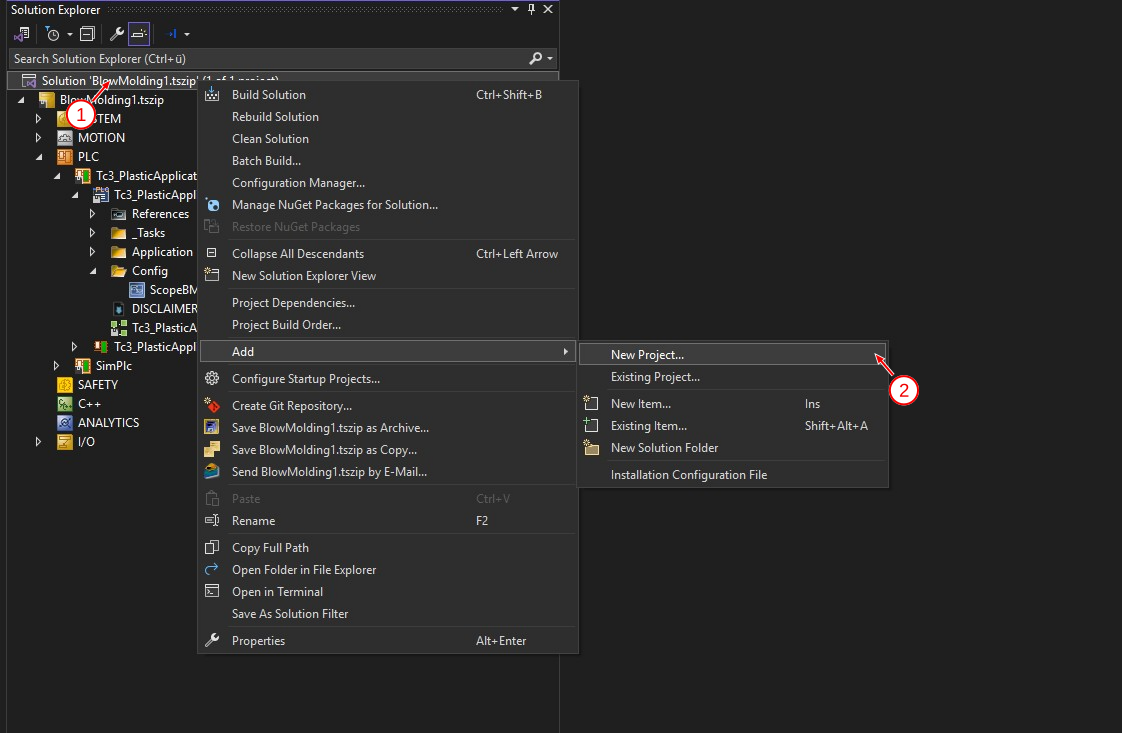
- 1. Right-click on your solution (1) to add a new project... (2).
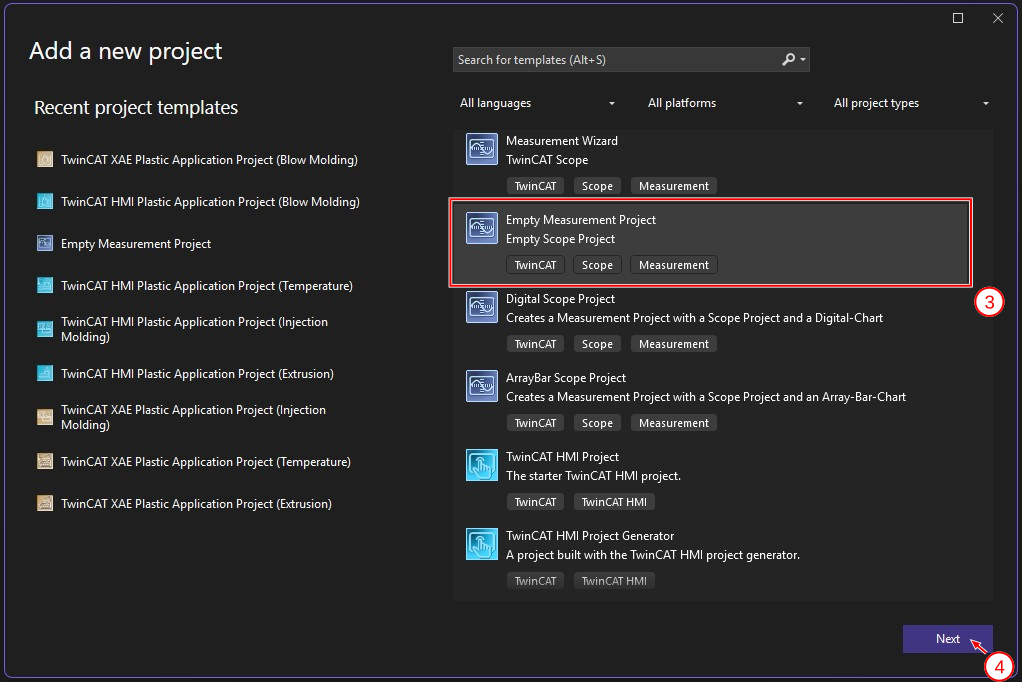
- 2. Select the Empty Measurement Project option (3) and click Next (4).
- 3. Enter a project name (5) and click Create (6) to confirm the creation of the project.
Recommended: For the Location, select the directory of your TwinCAT project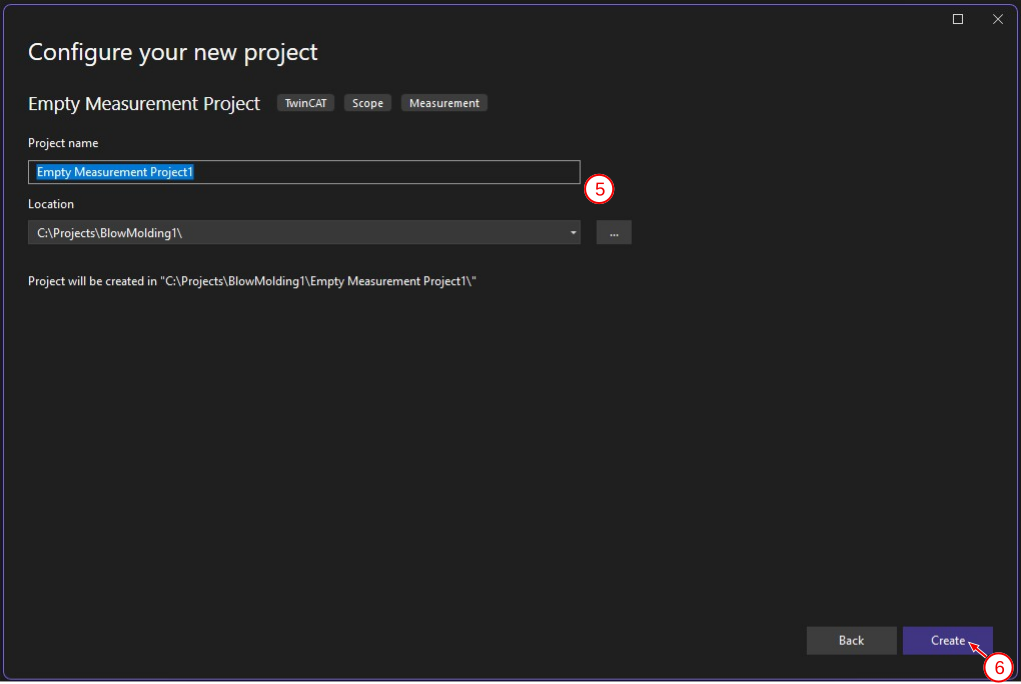
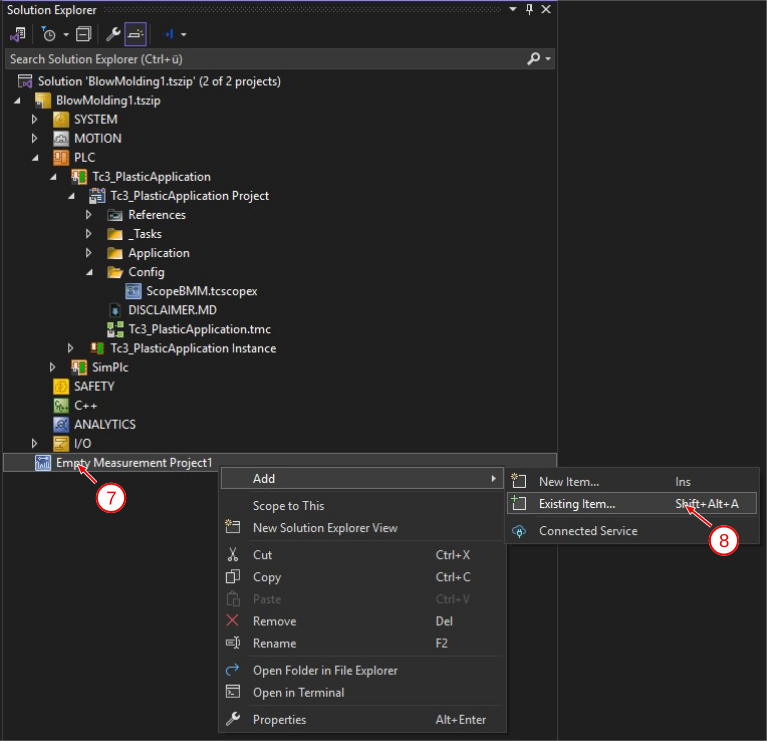
- 4. Right-click (7) on the Measurement Project you added and add an Existing Item (8).
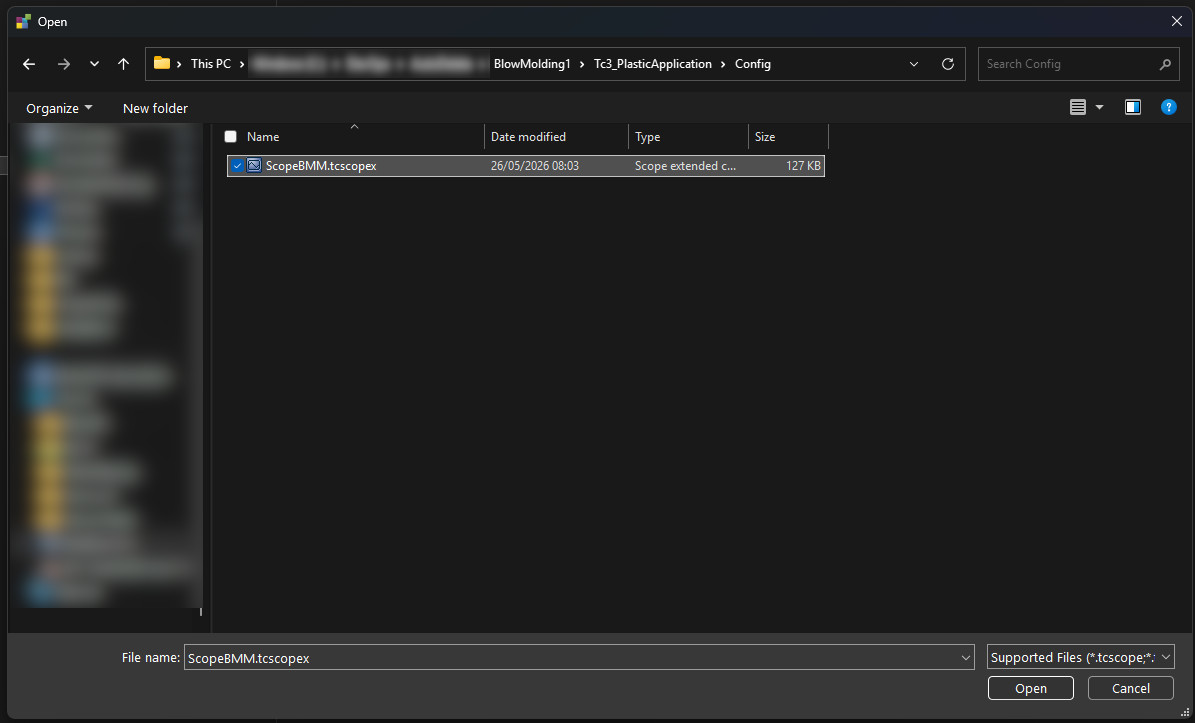
- 5. In your project directory, navigate to your PLC project and the scope file it contains. Within a Plastic Application template, this can be found under Tc3_PlasticApplication > Config.
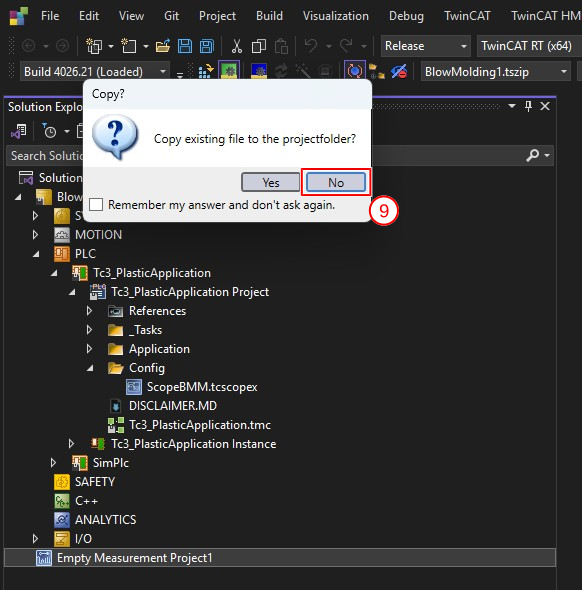
- 6. Be sure to select the No (9) option to create a reference-based integration of the Scope project. This ensures that the configured transfer to the target system will continue to work even after your next changes.
- You have successfully integrated the ShotScope project into your solution.
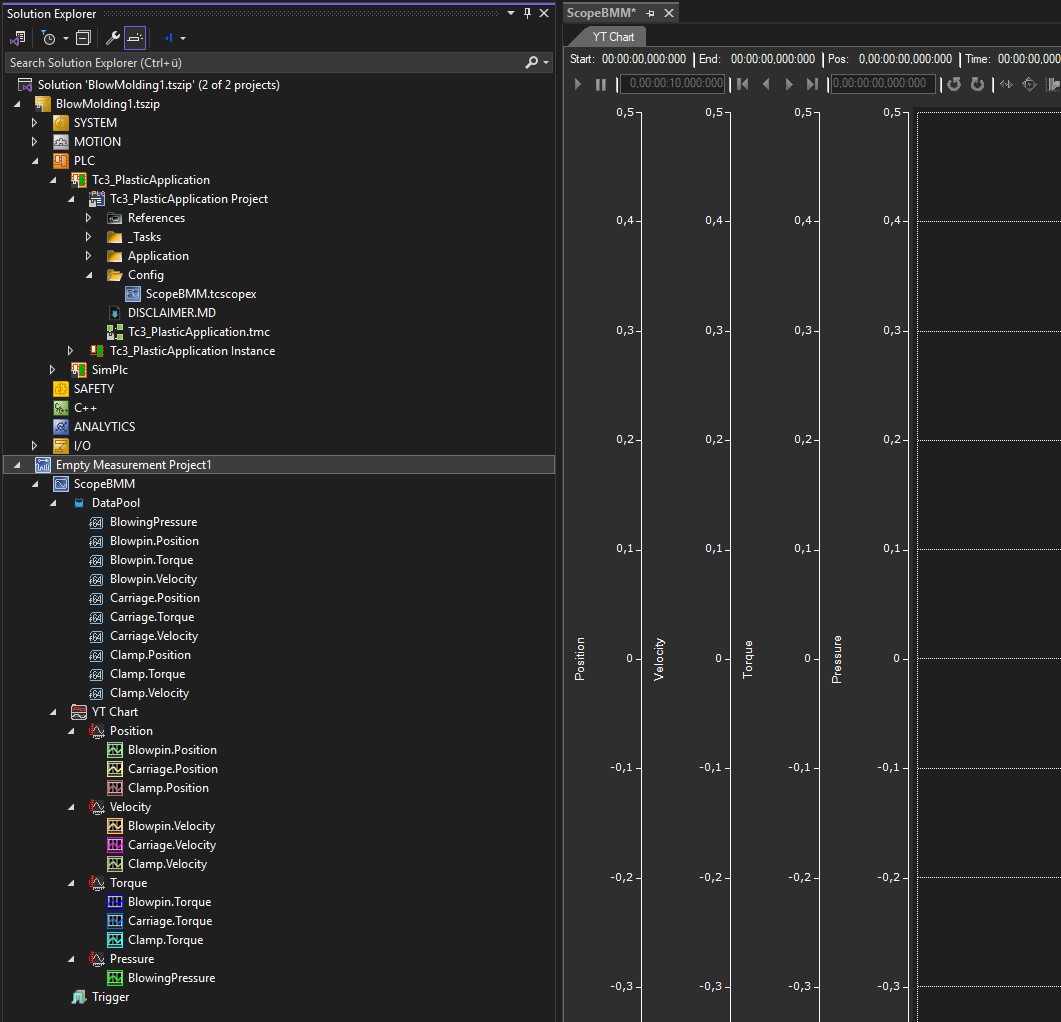
| Target system for new channels When adding new channels to the Data Pool, make sure they are configured for the local target system. If you previously used the Target Browser to make a choice of symbols from your running target system, you can right-click the Scope project (here, ScopeBMM) to set the target system for all symbols to local (127.0.0.1.1.1). |
| Changes to the project structure or the MD path If you make changes to your project's file structure or set a path in the PlasticBaseApplication parameters that differs from the default path, you must adjust your project's deployment. For an example, see the initial setup settings in this guide. |