Set cylinder data
- A FluidPower axis has been created;
see Adding an axis.
- 1. Double-click the FluidPower Axis object.
- 2. Open the Init Parameter tab.
- 3. Enter the cylinder data in the FluidPower Axis Parameters groups,
for example, Differential Cylinder 50/32.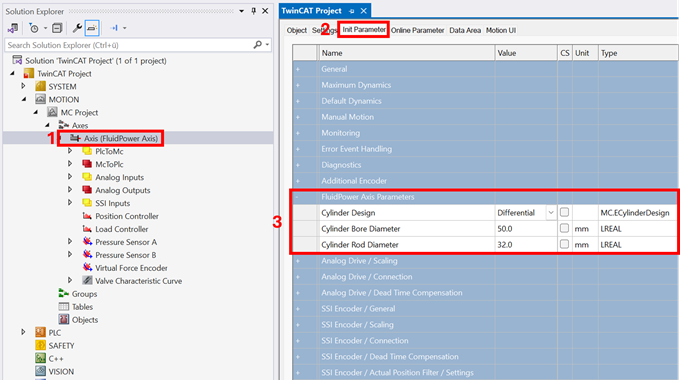
Explanations of the parameters can be found here: Init Parameter
The next step is the parameterization of the output signal;
see Set the valve output.