Adding an axis
- A TwinCAT project with an MC project has been created;
see Creating an MC project.
- 1. Right-click Axes > Add New Item...
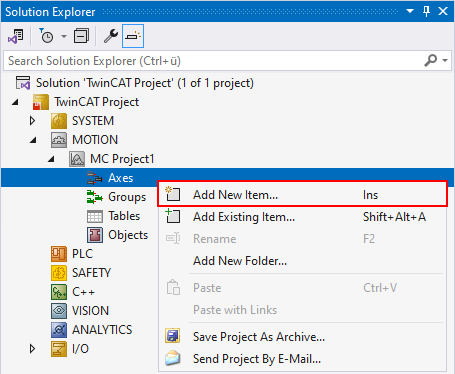
- In the Insert TcCOM Object dialog box, select the FluidPower Axis axis type under Type and click OK.
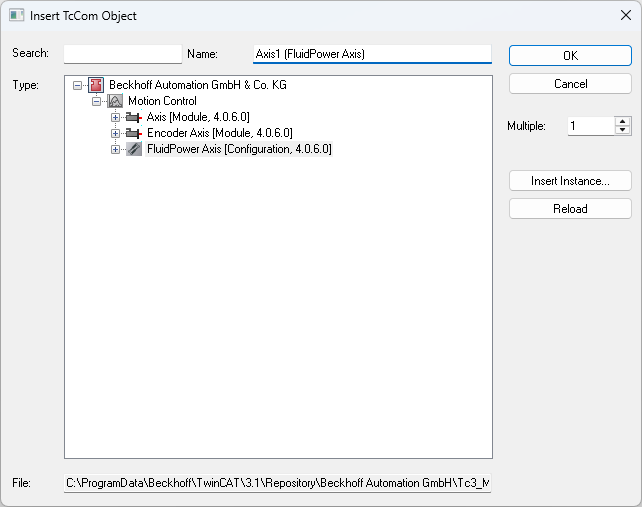
The FluidPower axis has been created with the required modules and is located below the Axes node.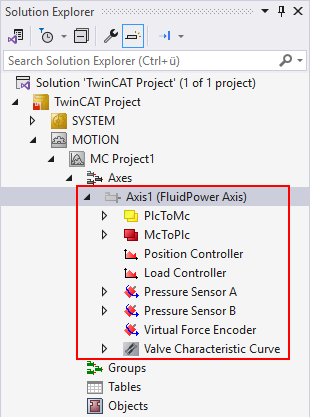
Select axis type
- 2. Selection of axis type via the Settings tab of the axis object.
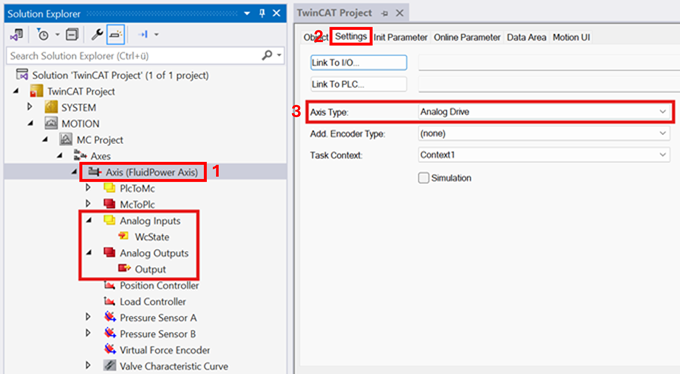
1. Double-click the FluidPower Axis object
2. Open the Settings tab
3. Selection of an Analog Drive to control an analog proportional valve
→ The analog modules, including the Data Area, have been created below the FluidPower axis.
Select encoder type
- 3. Selection of the SSI encoder type on the Settings tab of the axis object
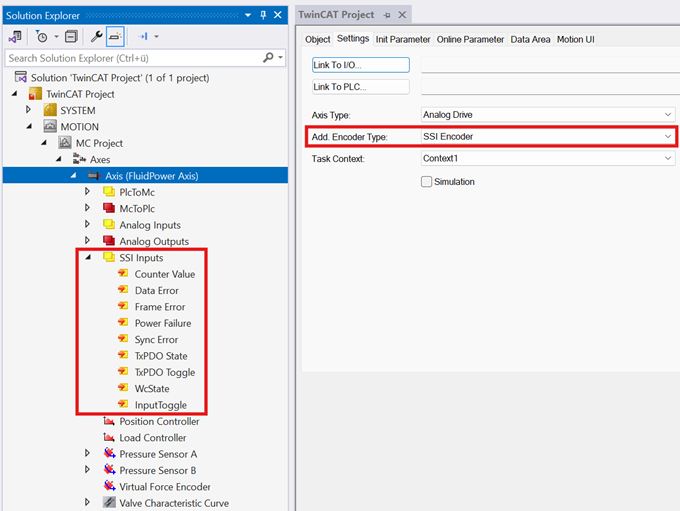
- The SSI Inputs module, including the Data Area, was created below the FluidPower axis.
- In the next step, the axis objects are linked to the hardware;
see Link axis objects to hardware.