Programming a PLC using function blocks
Enable the axis
- A FluidPower axis object has been created and the position controller has been optimized;
see Set control parameters for position control - The FluidPower axis object was linked to the PLC;
see Link axis objects to a PLC
- 1. Double-click on MAIN and create an instance of Tc3_Mc3Ptp.MC_Power;
see MC_Power - 2. Implementation of a cyclic call to the created instance
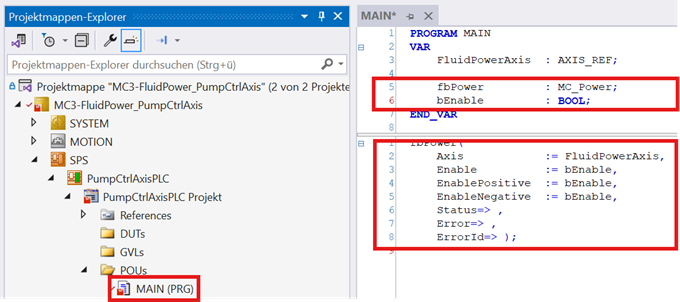
VAR
    FluidPowerAxis     : AXIS_REF;

    fbPower            : MC_Power;
    bEnable            : BOOL;
END_VAR
fbPower(
Axis := FluidPowerAxis,
Enable := bEnable,
EnablePositive := bEnable,
EnableNegative := bEnable,
Status=> ,
Error=> ,
ErrorId=> );Absolute positioning
- 3. Creating an instance of Tc3_Mc3Ptp.MC_MoveAbsolute;
see MC_MoveAbsolute - 4. Implementation of a cyclic call to the created instance
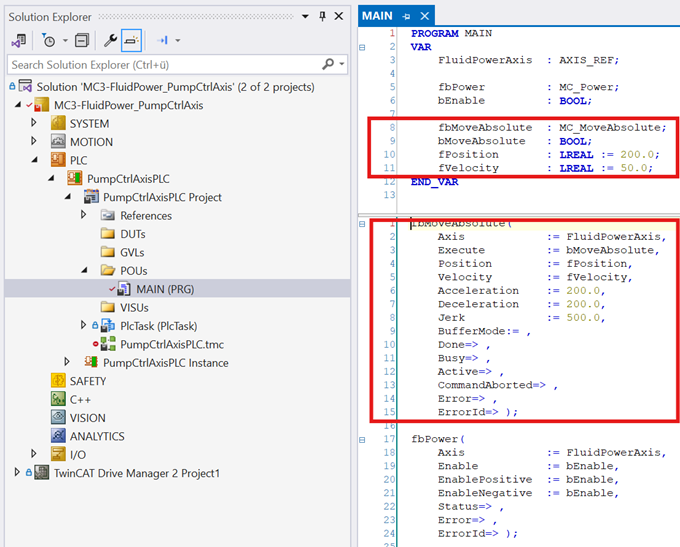
→ The axis can now be powered using the PLC and moved to its end position.
    fbMoveAbsolute    : MC_MoveAbsolute;
    bMoveAbsolute     : BOOL;
    fPosition         : LREAL := 200.0;
    fVelocity         : LREAL := 50.0;
fbMoveAbsolute(
Axis := FluidPowerAxis,
Execute := bMoveAbsolute,
Position := fPosition,
Velocity := fVelocity,
Acceleration := 200.0,
Deceleration := 200.0,
Jerk := 500.0,
BufferMode:= ,
Done=> ,
Busy=> ,
Active=> ,
CommandAborted=> ,
Error=> ,
ErrorId=> );Pressure/force control
- 5. To create an instance of Tc3_Mc3Ptp.MC_LoadControl,
see MC_LoadControl - 6. Implementation of a cyclic call to the created instance
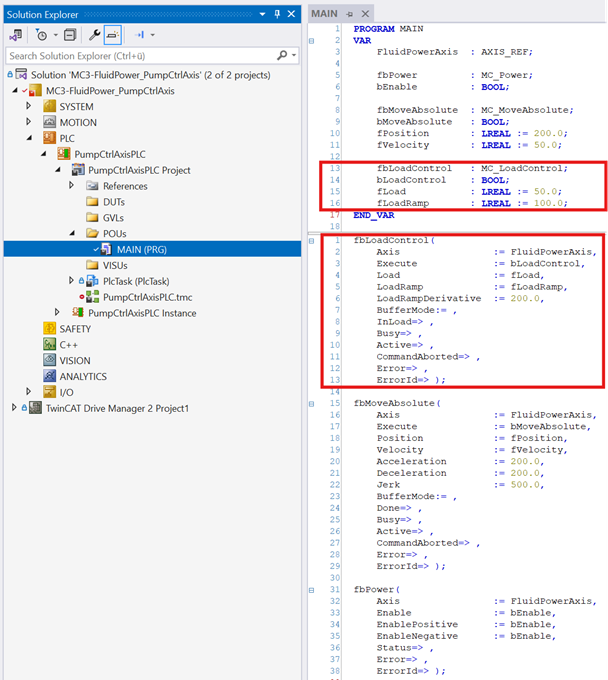
→ The pressure/force control of the axis can now be triggered via the PLC.
    fbLoadControl    : MC_LoadControl;
    bLoadControl     : BOOL;
    fLoad            : LREAL := 50.0;
    fLoadRamp        : LREAL := 100.0;
fbLoadControl(
Axis := FluidPowerAxis,
Execute := bLoadControl,
Load := fLoad,
LoadRamp := fLoadRamp,
LoadRampDerivative := 200.0,
BufferMode:= ,
InLoad=> ,
Busy=> ,
Active=> ,
CommandAborted=> ,
Error=> ,
ErrorId=> );The next step is to optimize the pressure controller;
see Set the pressure controller