Installation
To use the TwinCAT Machine Learning Server you need three components:
- TF3820 | TwinCAT Machine Learning Server
Install and license this workload either directly on your control IPC or on an Edge IPC. - Installs the TcMlServer service on the system.
- TF3830 | TwinCAT Machine Learning Server Client
Install this workload on your engineering PC to use the required PLC library. - Installs the PLC library Tc3_MlServer for the TwinCAT 3 XAE.
- TF38xx | TwinCAT Machine Learning Model Manager
Install this workload on your engineering PC to prepare the ONNX file for use in TwinCAT.
System requirements: TwinCAT Machine Learning Server (TF3820)
Technical data | Requirements |
|---|---|
Operating system | Windows 10, Windows 11 |
Target platform | x64 |
Minimum TwinCAT version | TwinCAT 3.1 Build 4026 |
Required TwinCAT setup level | TwinCAT 3 XAR |
Required TwinCAT license | TC1000 |
System requirements: TwinCAT Machine Learning Server Client (TF3830)
Technical data | Requirements |
|---|---|
Operating system | Windows 10, Windows 11 |
Target platform | x64 |
Minimum TwinCAT version | TwinCAT 3.1 Build 4026 |
Required TwinCAT setup level | TwinCAT 3 XAE |
Required TwinCAT license | TC1200 |
TwinCAT Package Manager: Installation (TwinCAT 3.1 Build 4026)
Detailed instructions on installing products can be found in the chapter Managing TwinCAT software in the TwinCAT 3.1 Build 4026 installation instructions.
Install the following workload to be able to use the product:

TwinCAT Package Manager UI: TF3820 | TwinCAT 3 Machine Learning Server
TwinCAT Package Manager CLI: tcpkg install TF3820.MachineLearningServer.XAR
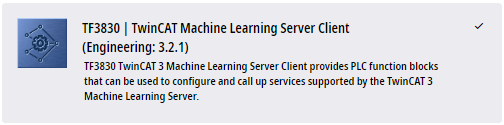
TwinCAT Package Manager UI: TF3830 | TwinCAT 3 Machine Learning Server Client
TwinCAT Package Manager CLI: tcpkg install TF3830.MachineLearningServerClient.XAE

TwinCAT Package Manager UI: TF38xx | TwinCAT 3 Machine Learning Model Manager
TwinCAT Package Manager CLI: tcpkg install TF38xx.MachineLearningModelManager.XAE
Notes on compatibility between client and server
- The TwinCAT Machine Learning Server from version 4.x is compatible with all TwinCAT Machine Learning Server Client versions from version 4.x.
- For older versions, the version of the server must always be identical to the version of the client.
Installation on systems with TF3800 or TF3810 version 3.2.6 and later
 | Potential conflict with old installations There may be conflicts regarding the packages for the TwinCAT Machine Learning Model Manager. This conflict is quickly resolved by uninstalling. |
If you have installed a version of the workload TF3800.MachineLearningInferenceEngine.XAE or TF3810.NeuralNetworkInferenceEngine.XAE in version 3.2.6 or lower, you should first uninstall these workloads:
tcpkg uninstall TF3800.MachineLearningInferenceEngine.XAE --include-dependenciestcpkg uninstall TF3810.NeuralNetworkInferenceEngine.XAE --include-dependenciesOnly then should you install the workloads in version 3.2.10 or higher.