File
If you have chosen a file target for a stream, the data is written from the Analytics Logger to the local hard disk in the directory you have specified. The directory can be set in the target description. By default, an Analytics subfolder is created in the TwinCAT boot directory, in which all necessary files with descriptive and process data are stored.
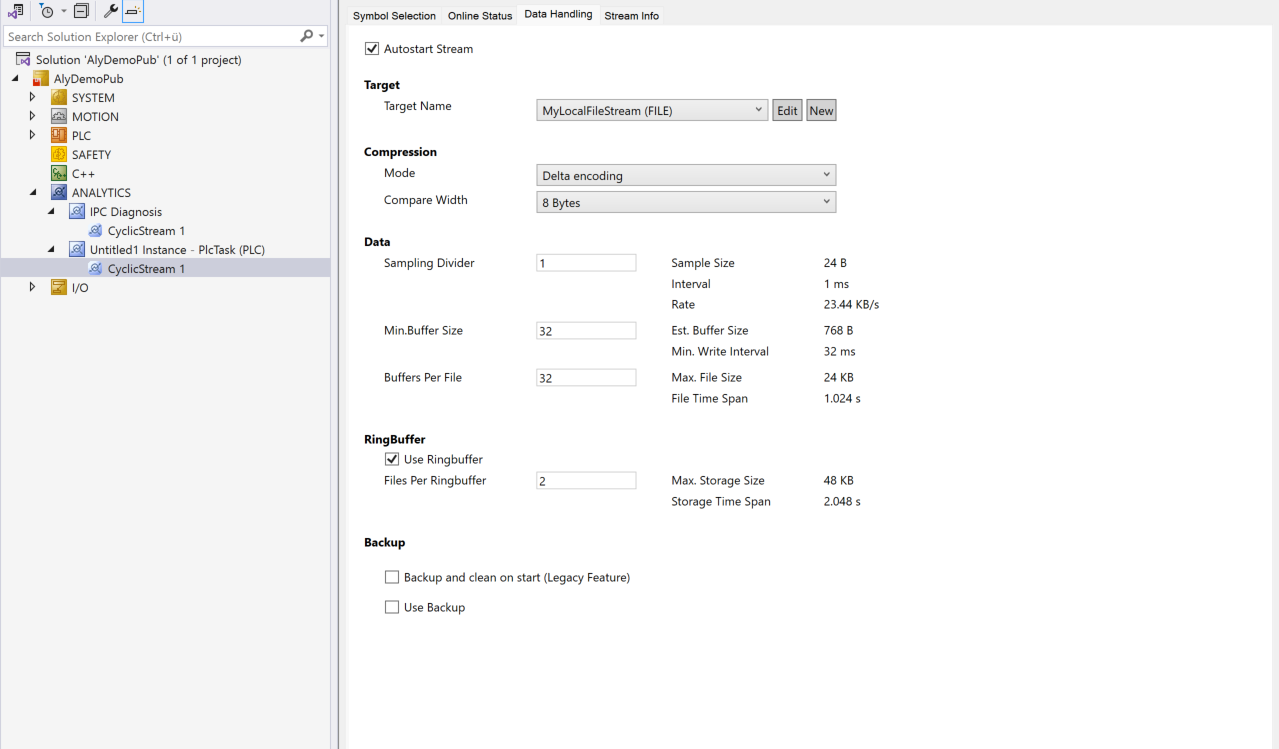
Data:
Sampling Divider: A value can be set here to ensure that data is only acquired every n cycles. This results in a reduction in the sampling rate. The resulting sampling rate is given by 1/cycle time [s]/n in Hz. Example for 1ms cycle time and sampling divider 1000: 1/0.001s/1000 = 1Hz.
Min Buffer Size: The Min Buffer Size indicates how many samples the logger first buffers before it writes the data to the Analytics .tay file in a new write process. If the workload is high, the Analytics Logger can automatically increase this value to reduce the load on the file system.
Buffer Per File: Specifies how many buffers the logger writes to a .tay file with the samples it contains before a new file is started.
Ring Buffer:
Use Ring Buffer: Switches the ring buffer function on or off. If the function is activated, a ring buffer is activated on the basis of the files (.tay), in which the oldest files are automatically deleted. However, if the function is switched off, the data is recorded indefinitely. The user is then responsible for managing the files themselves.
Files Per Ring Buffer: Here you can specify how many files the ring buffer consists of. The maximum storage space required is also specified again.
Backup: Details on the backup mechanism are summarized on this documentation page.
Analytics File
Even though the term Analytics File is always used, this is actually just a term for a type of container of different files that the Analytics Logger or the Analytics Storage Provider stores on the file system.
tad: The tad is a Description file. It contains static data in JSON format, such as the address data or the system alias name specified in the Device Info.
tas: The tas file contains the symbolism, i.e. the description of the variables, which is necessary to be able to interpret the binary tay files.
tay: The actual data is stored in a binary format in the tay files (there may be several, depending on the configuration). This data can be interpreted by all TwinCAT Analytics products or the corresponding Analytics APIs and converted into plain text.
Analytics File Cache
If the Analytics Logger is working in file mode, it does not write the data directly to the .tay files, but first stores them as temporary files in a cache folder. This cache is automatically created as a subdirectory in the target directory of the Analytics Logger.
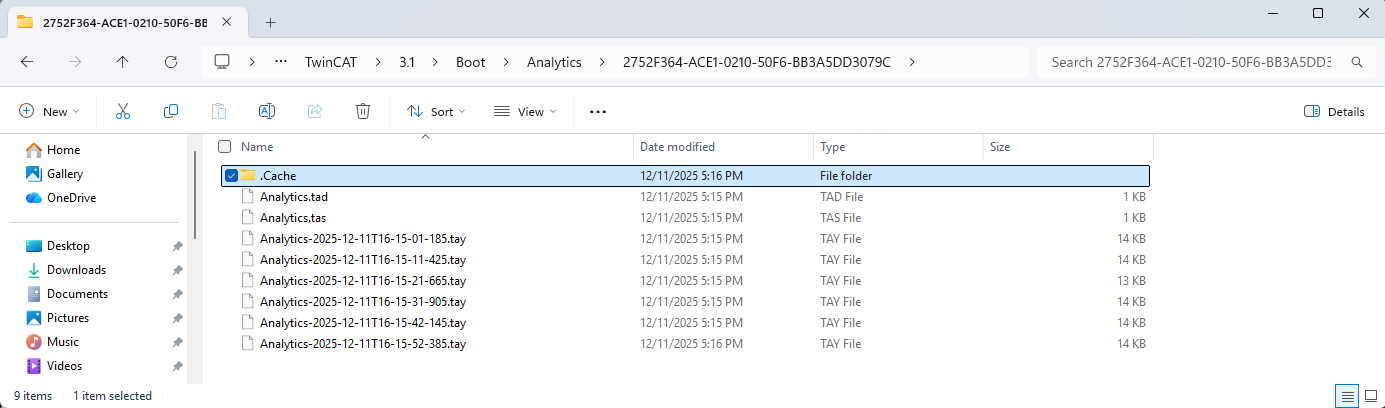
The cache directory ensures that data collection is decoupled from possible access by other tools. The data finalized as .tay can always be queried by other tools such as Target Browser, Analytics Service Tool, etc. The cache files, however, do not. Nevertheless, this is the same format. If the system is shut down, for example, the cache is emptied and the data is converted into .tay files so that no data is lost.
The size of the cache is automatically adjusted based on the Analytics Logger configuration. The user does not have to worry about this.