Stream Targets
One or more targets for the acquired data can be defined in the Stream Targets tab. The TwinCAT Analytics Logger supports two target options. It can write data in Analytics binary format to the local file system. Or send the data in the same format to an MQTT message broker. It does not matter whether the message broker runs on the local or a remote system.
Click on Add New Target to create a new entry in the list. All entries in the list are later available for the stream definition and can be individually assigned to the streams. A target can also be used by different streams at the same time.
Once you have added a target, you can assign a name that describes the target. For example, MyLocalFileTarget. Then set the type of target in the drop-down box, in this case set to File.
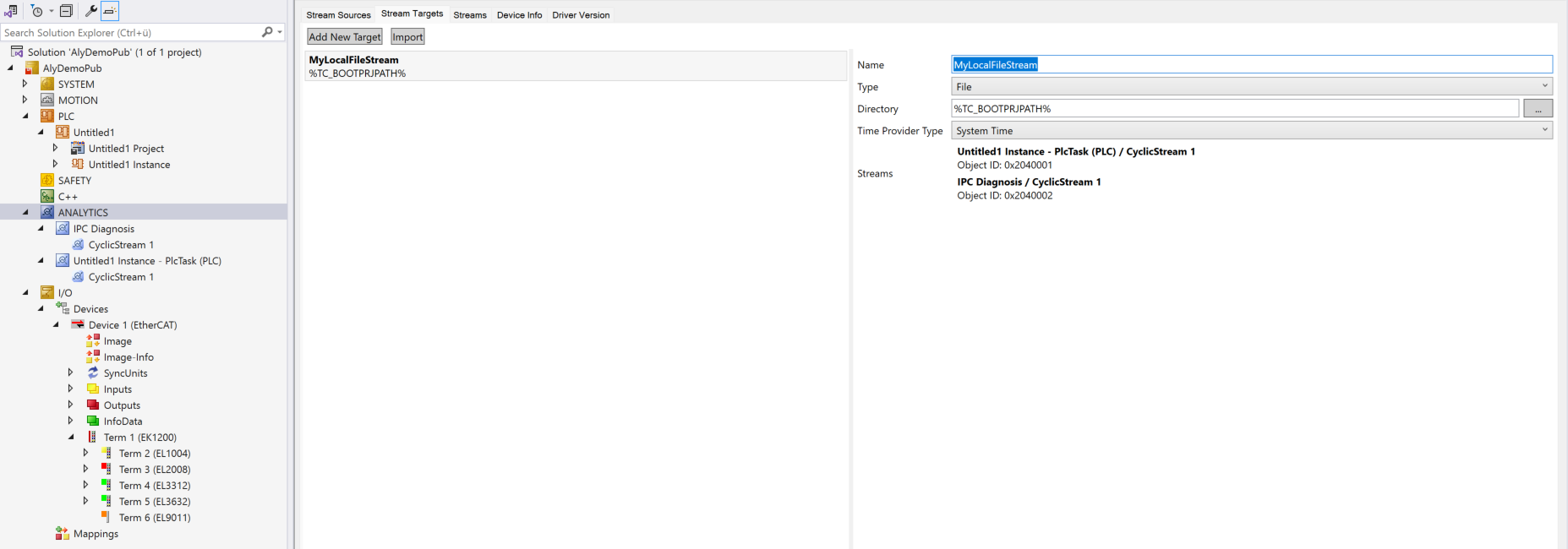
This gives you the option of choosing a directory for the data on the local hard disk. The default is the TwinCAT boot directory. A time provider type is available as a choice for any desired synchronization of timestamps with other systems. This is explained in more detail in the Timestamp correction chapter, as it is also available for both target types File and MQTT.
If you choose MQTT as the target type, you have the option of specifying connection data to the message broker.
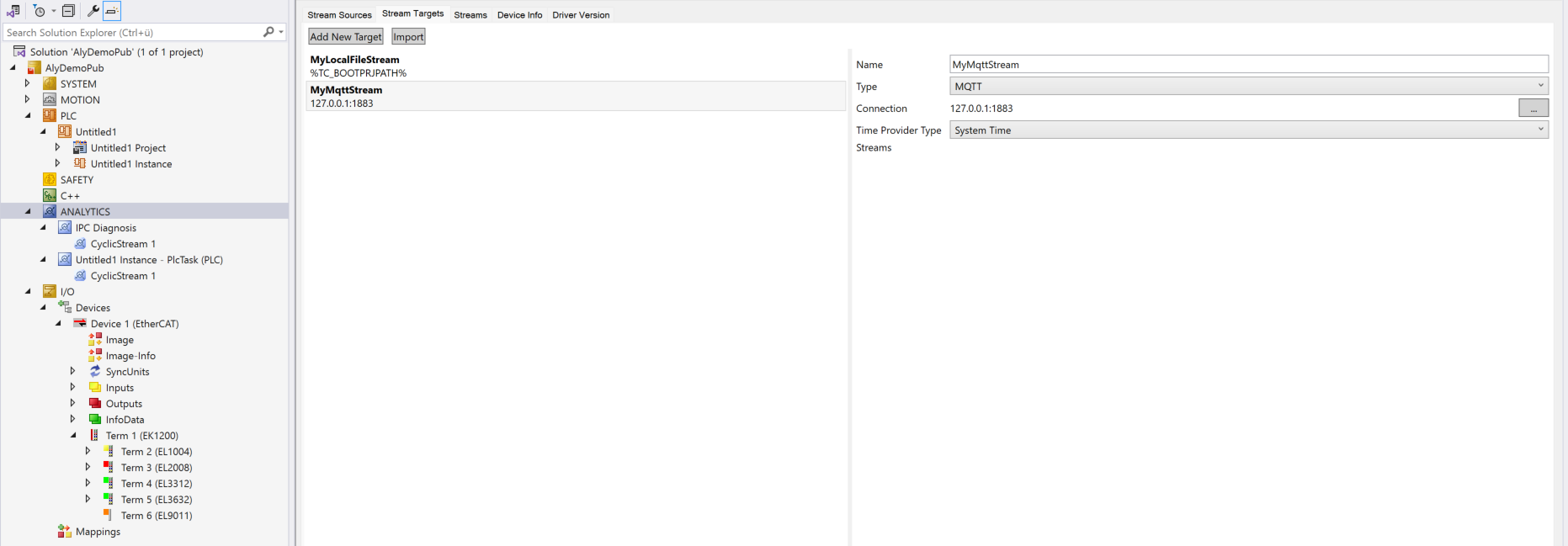
To do this, click the button with the three dots. The following window then opens.
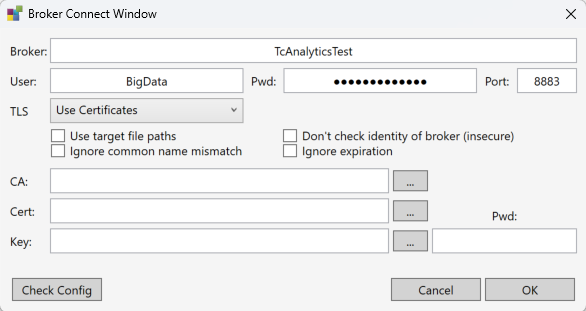
Here you essentially enter the host name or the IP address of the MQTT message broker. It should be noted that this is a native MQTT message broker that supports retain topics. It is recommended to use the broker's authentication options. The required user and password entries can be made directly here. You must also decide whether communication via TLS should be secured with certificates. The setting options can be found in the Security TLS chapter.
If you have already defined targets in the TwinCAT Target Browser, you can also import them here. To do this, please click the Import button. The following window opens.
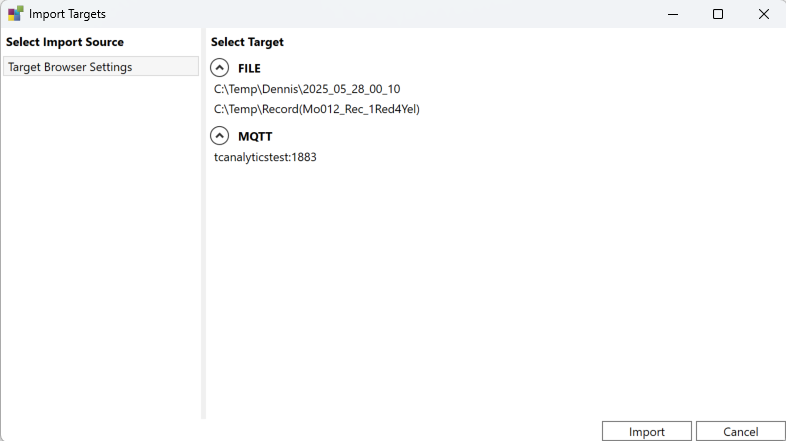
Choose a file or MQTT target and press Import. All settings, including security, are automatically applied to the Analytics Logger.