Security - TLS
TLS (Transport Layer Security) provides a secure communication channel between a client and a server. At its core, TLS consists of cryptographic protocols that use a handshake mechanism to negotiate various parameters to establish a secure connection between the client and the server. The TwinCAT Analytics Logger supports TLS versions 1.2 and 1.3, as well as the modes CA Certificates, CA Certificates & Client Certificate, and Preshared Key (PSK).
 | MQTT communication with TLS When certificates are used, TCP port 8883 is exclusively reserved for MQTT over TLS! |
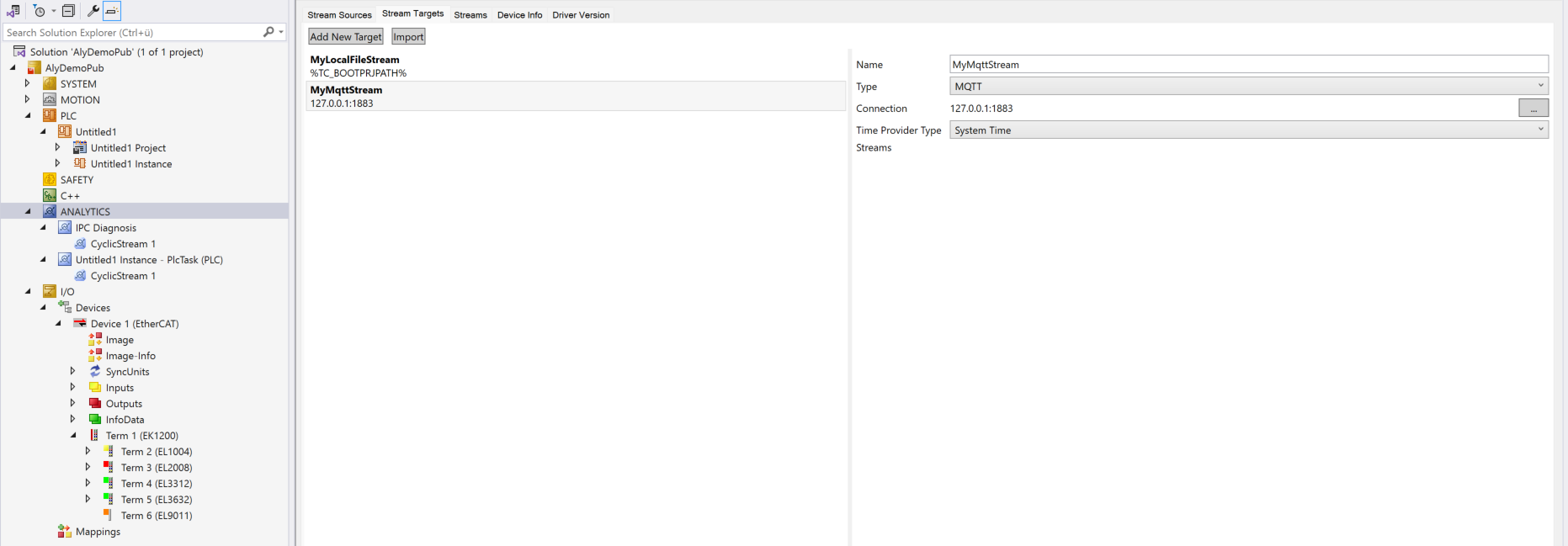
If you have chosen an MQTT target, you can click on the button with the three dots under Connection and the following window for the MQTT connection data will open. After configuring the broker and entering the user name and password, you can open the TLS drop-down list and select Use Certificates or Use Pre-Shared Key (PSK).
Once TLS is enabled, another drop-down list appears to the right of it, allowing you to select the TLS version:
TLS version | Description |
|---|---|
TLS 1.2 | A proven standard, widely used and compatible. |
TLS 1.2 | Current version with improved security features and a faster handshake. |
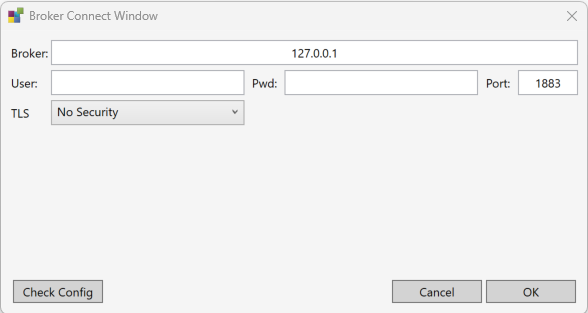
CA certificate
Encryption and authentication via TLS can also be accomplished through a certificate authority (CA). The CA provides a signature covering the public key for all communication clients. In this case an MQTT client connects to a message broker without a dedicated client certificate.
The Cert and Key fields do not need to be filled in.
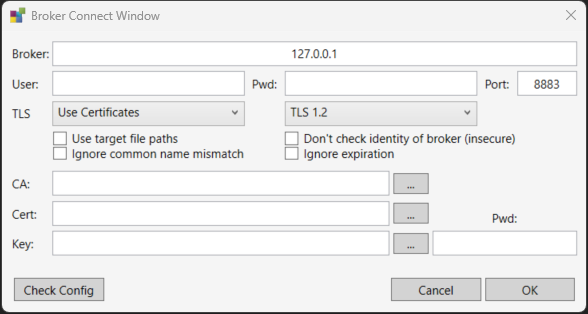
- Use target file paths: If this option is activated, the target searches for the certificates on its own system under the specified path. If this option is not active, the specified paths are checked on the engineering system and the certificates are downloaded from there to the target.
- Ignore common name mismatch: If this option is activated, the common name (CN) of the server certificate is not checked.
- Don't check identity of broker (insecure): This option ignores the result of the server certificate check.
- Ignore expiration: If this checkbox is selected, the expiration of the server certificate is ignored.
CA Certificate & Client Certificate
Encryption and authentication via TLS can also be accomplished through a certificate authority (CA). The CA provides a signature covering the public key for the message broker (the so-called server key) and usually also for all connecting clients. All communication devices can then trust each other, because the issuing certificate authority is trusted.
- Use target file paths: If this option is activated, the target searches for the certificates on its own system under the specified path. If this option is not active, the specified paths are checked on the engineering system and the certificates are downloaded from there to the target.
- Ignore common name mismatch: If this option is activated, the common name (CN) of the server certificate is not checked.
- Don't check identity of broker (insecure): This option ignores the result of the server certificate check.
- Ignore expiration: If this checkbox is selected, the expiration of the server certificate is ignored.
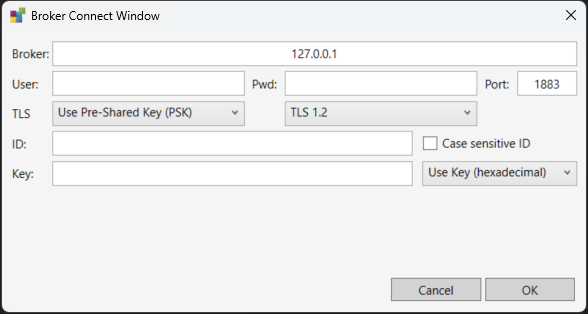
Preshared Key (PSK)
The TLS PreSharedKey (PSK) method offers a simple option for realizing encryption between client and message broker. Client and broker recognize a common password, which is used to encrypt and decrypt the packets.