Message display
The main area represents the messages from the selected chat. User inquiries and agent responses are visually distinguished from one another.
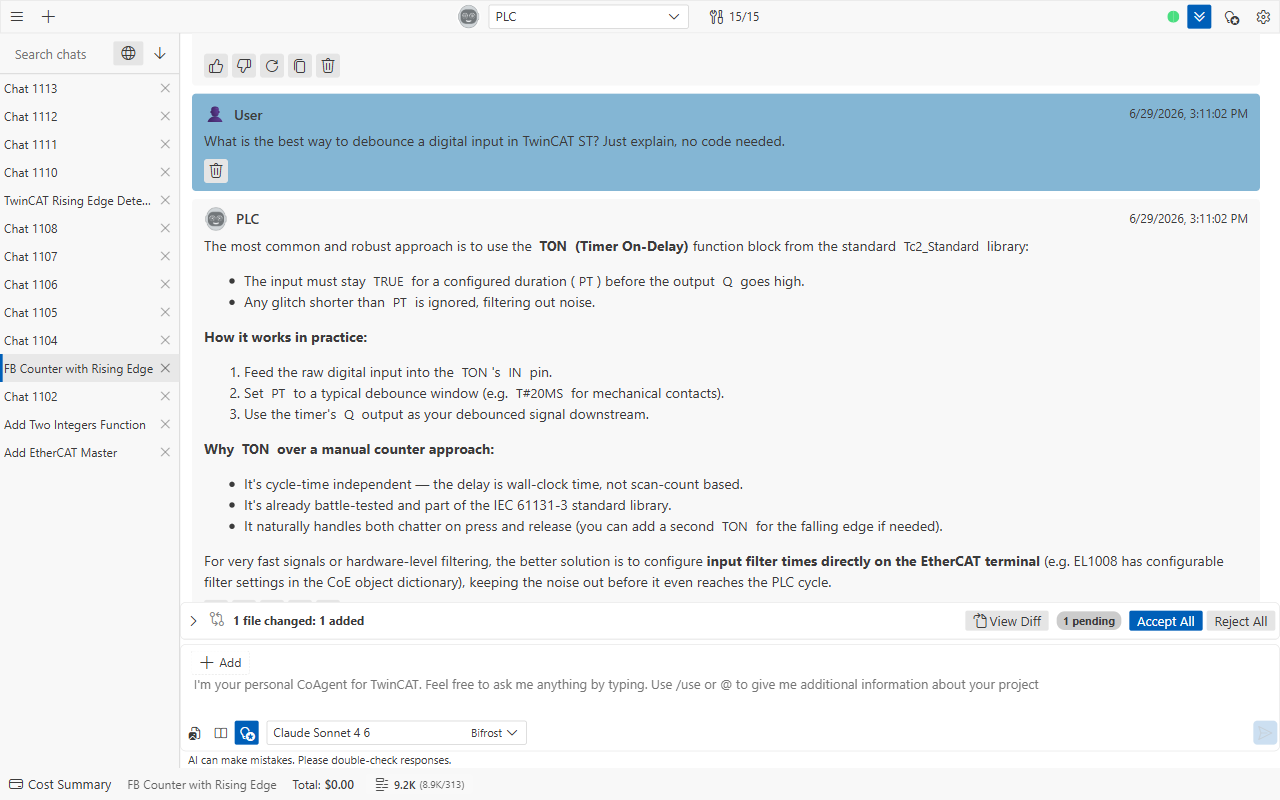
Agent messages offer the following actions:
Icon | Item | Function |
|---|---|---|
| Like/Dislike | Evaluation of response quality. |
| Regenerate | Regenerates the response. |
| Copy | Copies the message text to the clipboard. |
| Delete | Deletes the message. |


PLC code generated or modified by the agent is not represented as a chat message. Instead, it is presented in the Changeset Review with syntax highlighting and a diff representation for review (see Changeset Workflow).
Tool calls are displayed as part of the agent’s messages when the agent uses MCP tools. The tool name and the passed parameters are displayed. By clicking on a tool call, you can view the tool’s complete input and output. For tool calls that take a long time to run, the progress reported by the MCP server is displayed.
Changeset bar
When the agent submits POUs or other solution files for review, a changeset bar appears at the bottom of the chat:

The toolbar displays the number of modified files, the View Diff button, and the Accept All and Reject All actions. Clicking View Diff opens the Changeset Review (see the Changeset Workflow chapter).
Thinking mode
When Thinking mode is enabled (see the Input area chapter), the agent performs an internal thinking step before responding. The response then includes a collapsible section titled Thinking:

Clicking on the section displays the Thinking information provided by the model.
Delegated tasks
If an agent delegates part of a task to another agent (see the Agents chapter), the delegated task is displayed as a collapsible section in the agent message:

This section displays the assigned agent, the assignment, the progress, and the status of the task. Under “Tools”, you can view the tool calls made by the assigned agent; under Partial result or Subagent results, you can view the result.
While the active agent waits for the results, the following actions are available:
Action | Meaning |
|---|---|
Stop waiting | Stops waiting. The active agent proceeds without waiting for the remaining results. |
Accept partial | Accepts the partial result of an interrupted task. The active agent proceeds with this result. |
Continue child | Resumes an interrupted delegated task, even at a later time. |
 | As long as an agent is waiting for delegated tasks, the chat is also on hold. Delegated tasks cannot be moved to the background. If CoAgent or the development environment is closed during a task, the task will not resume automatically.
|