Configuration of data access to data of a TcCOM object
The data of a TcCOM object is organized into variable groups. You can configure how data in specific variable groups can be accessed. ADS access and the process image type can be configured as required. These settings affect how the variables in a group are linked with other process images in the TwinCAT development environment, and how they can exchange data.
Variable groups
In addition to the group of input and output variables, there is the group of Internal and TargetVariables. The input variables refer to the parameters of the function in MATLAB®, and the output variables correspondingly refer to the function's return value. The Internal and TargetVariables refer to internal variables generated by MATLAB® Coder™. TargetVariables are created for pointer variables and indicate the underlying value.
Configuration in MATLAB®
Configuration is performed at the class parameter level, individually for each TcCOM object, using the following parameters:
exportCfg.ClassExportCfg{1}.TcCom.InputDataAccess
exportCfg.ClassExportCfg{1}.TcCom.InputCreateSymbols
exportCfg.ClassExportCfg{1}.TcCom.InputInitValues
exportCfg.ClassExportCfg{1}.TcCom.OutputDataAccess
exportCfg.ClassExportCfg{1}.TcCom.OutputCreateSymbolsThe Internal and TargetVariables can be configured using the following parameters. This configuration is useful only in rare cases. In such cases, it may make more sense, for example, to modify the underlying MATLAB® function and pass the data of interest as a return value, thereby making it accessible in the output data area. To improve online change compatibility, it is advisable to set data access for these groups to 'Module Parameter'.
exportCfg.ClassExportCfg{1}.TcCom.InternalDataAccess
exportCfg.ClassExportCfg{1}.TcCom.InternalCreateSymbols
exportCfg.ClassExportCfg{1}.TcCom.TargetVariablesDataAccess
exportCfg.ClassExportCfg{1}.TcCom.TargetVariablesCreateSymbolsThe Data Access can be defined individually for each variable group named above. Selection options for DataAreas and module parameters are summarized in the following table:
Data Access | Access via ADS | Access via mapping | Access via Data Pointer |
|---|---|---|---|
None | No | No | No |
Module parameters | Yes | No | No |
Input Destination DataArea | Yes | Yes (with Output Source) | Yes |
Output Source DataArea | Yes | Yes (with Input Destination) | Yes |
Internal DataArea | Yes | No | No |
Standard DataArea | Yes | No | Yes |
Retain Source DataArea | Yes | Yes (with Retain Handler) | No |
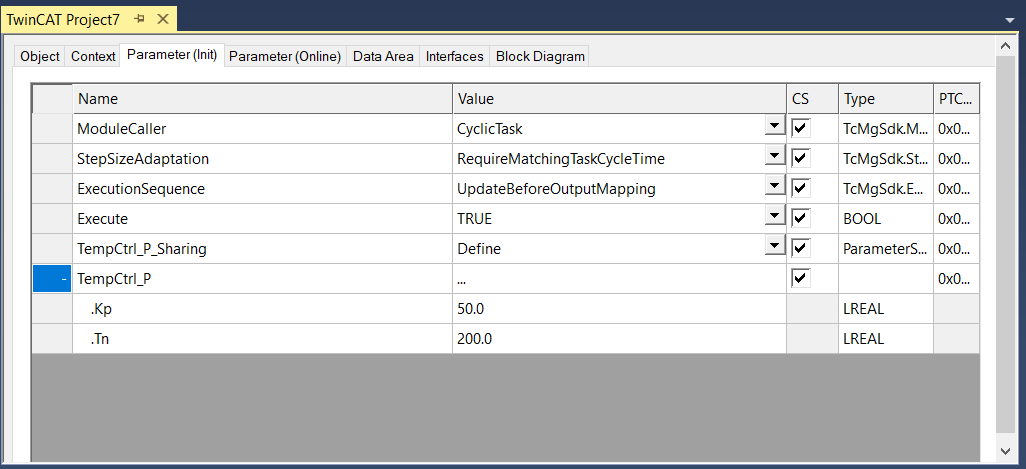
Unlike DataAreas, Module parameters are not intended for cyclic (process) data exchange with other modules or I/Os. They are generally read or written asynchronously, e.g. via ADS. The parameters on the Parameters (Init) tab have an initial value that can be configured in the project and is written when the TcCOM instance is started. The parameters on Parameter (Online) on the other hand, have no configurable initial value and are typically used to monitor internal states.
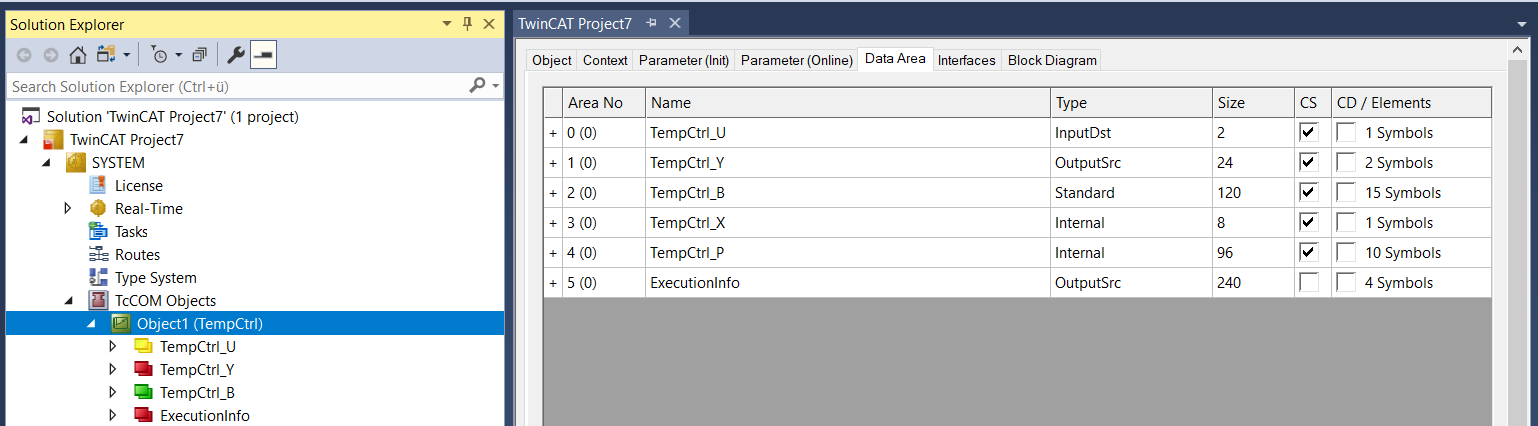
DataAreas can be found on the TcCOM instance on the DataArea tab. The exact type of the DataArea is also displayed here. Internal DataAreas are not created as process data image in the development environment.
Properties of the parameterization
The access via ADS is usually ReadOnly. Only the Inputs group can also be written via ADS.
Independently of this, it is possible to set for each group whether ADS symbol information (CreateSymbols) should be created for the respective group. If no ADS symbol information is available, the data can only be accessed by ADS via IndexGroup and IndexOffset.
About this option:
exportCfg.ClassExportCfg{1}.TcCom.InputInitValues = true;In addition to the DataArea (for cyclic data exchange), you will see an entry under “Parameter (Init)”. This way initial values for inputs can be realized. These values apply if the corresponding inputs have not been linked. Without these parameters, unlinked input values are always 0.
Execution information
Information about execution can be provided during the runtime of the TcCOM object:
exportCfg.ClassExportCfg{1}.TcCom. MonitorExecutionTime= true;MonitorExecutionTime: Creates a module parameter at Parameter (Online) and in the block diagram (right side). The execution time of the TcCOM can be read via this parameter. The measurement is updated with each call of the TcCOM, so that, for example, the execution time can be tracked precisely for each call via the TwinCAT Scope.
exportCfg.ClassExportCfg{1}.TcCom.ExecutionInfoOutput = true;ExecutionInfoOutput: Creates an additional Output Source DataArea containing information about the module call; see Exception handling.
Further descriptions
- Structure of a TcCOM: Description of the TcCOM properties
- Properties of DataAreas
- Using a RetainDataArea with NOV-RAM: RetainDataArea