Station properties
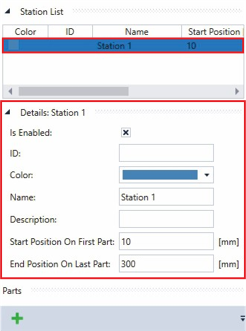
- ►Click on a station in the Station List to display its properties
The properties of the selected station are displayed at Details: Station 1. The information can also be read out using the XTS Utility in the PLC.
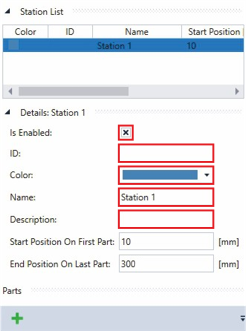
- ►Activate the checkbox Is Enabled to show the station in the XTS View
OR
- ►Deactivate the checkbox Is Enabled to hide the station in the XTS View
- ►Enter a value in the input field ID
- ►Choose a color from the drop-down menu Color
Further information can be found in chapter Drop-down menu Brush | Color.
- ►Enter a name for the station in the input field Name
- ►If required, enter a short description of the station in the Description input field
Further Information
See also