System test
Before beginning with the assembly of the guide rails, check the functionality of the modules. You can determine whether you have assembled the modules properly and fully as well as identifying defects.
Power supply
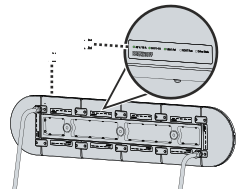
- ►Connect the entire system 1 to the power supply without guide rails
- ►First switch the 24 V on, then the 48 V
- ►Make sure that the LEDs 2 light up
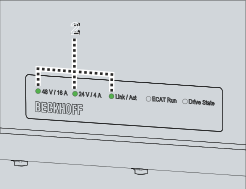
The following LEDs 2 must light up:
- Link / Act
- 48 V / 16 A
- 24 V / 4 A
If the LEDs do not light up:
- ►Check the power supply units and fuses for voltage
- ►Check whether the appropriate covers with connection card have been inserted
- ►Contact the Support/Applications Department
TwinCAT
Beckhoff also recommends checking the modules using the TwinCAT software.
- ►Connect EtherCAT connector to the control computer
- ►Start a TwinCAT project
- ►Scan the modules
- ►Check the modules for functionality