ArrowMotionGraph
NuGet package: Beckhoff.TwinCAT.HMI.Plastic.Controls
Available: since version 12.6.0
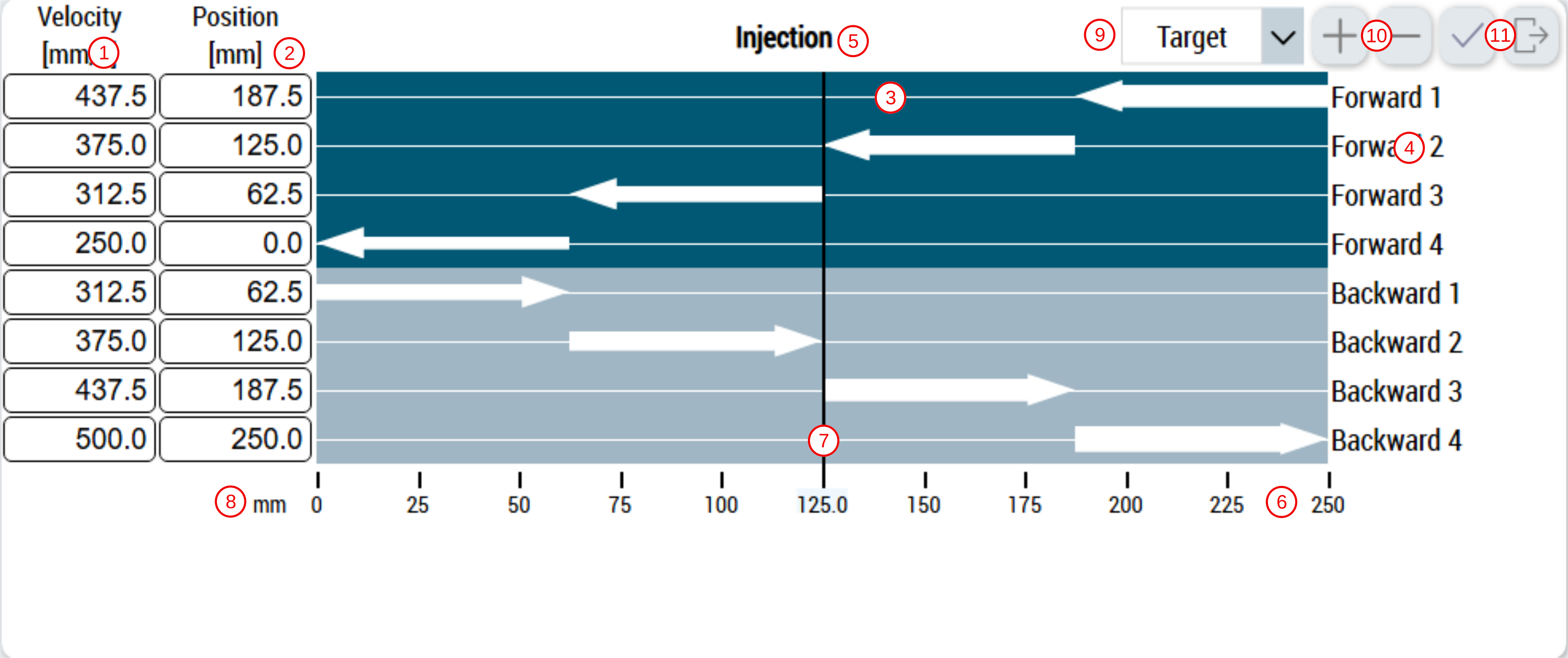
With the ArrowMotionGraph control users can access configurations of different segments of axis moves. Positions and velocities for different segments in every move are visualized as arrows on the control; the width of every arrow is proportional to the velocity of its segment.
This control consists of following components:
- Velocity values for each segment
- Position values for each segment
- Axis movements segments visualization
- Segment names
- Header text
- Linear scale
- Actual axis position
- Scale unit
- Display subpage selection
- Buttons to add or remove move segments
- Buttons to activate or reset new changes
 | ActivateConfig action Any new changes to the control must be activated by using the ActivateConfig action to set new values to the PLC. |
Further Information