FB_BA_SensorBinaryTLog
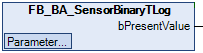
The FB_BA_SensorBinaryTLog function block logs a binary input value from an I/O bus terminal and outputs it as a Boolean process value.
The process value is logged by a Trend object.
Each template is available in 2 different configurations regarding the connection to the I/O process level, see I/O mapping. This documentation refers to the RAW variant.
 | The initialization of the template takes place within the method FB_Init. |
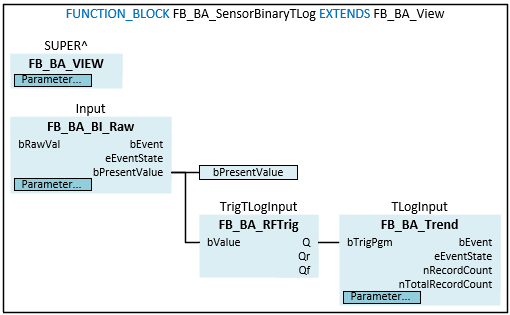
Block diagram
Syntax
FUNCTION_BLOCK FB_BA_SensorBinary EXTENDS FB_BA_View
VAR_INPUT CONSTANT
Input : FB_BA_BI_Raw;
TLogInput : FB_BA_Trend;
END_VAR
VAR_OUTPUT
bPresentValue : BOOL;
END_VAR
VAR
TrigTLogInput : FB_BA_RFTrig;
END_VAR Inputs CONSTANT
Name | Type | Description |
|---|---|---|
Input | Binary input object for processing a process value. | |
TLogInput | Trend logging of the measured value of the input object. |
 Outputs
Name | Type | Description |
|---|---|---|
bPresentValue | BOOL | Current value of the binary input object Input to display a process value. |
Variables
Name | Type | Description |
|---|---|---|
TrigTLogInput | The function block generates a pulse from the output signal of the binary input object Input when the value changes. |