Network diagnostics
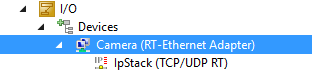
In case of problems with the connection, especially with sent or received frames, you will find a tab with statistical information in the RT Ethernet adapter and in the IpStack the Parameter (Online) tab with individual counter information. Details can be found in the appendix/troubleshooting at Camera communication.
Promiscuous Mode
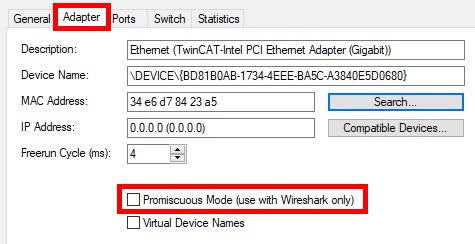
Promiscuous Mode is a setting in TwinCAT RT Ethernet adapters. It is required for debugging purposes with the Wireshark® tool. This mode can cause problems when communicating with GigE Vision devices. It should therefore only be switched on temporarily to create Wireshark® recordings and then deactivated again immediately.
Notice | |
Avoid Promiscuous mode This mode can cause problems when communicating with GigE Vision devices. Therefore, always use GigE Vision devices without promiscuous mode in productive operation! |
You can check this setting by opening the corresponding RT-Ethernet adapter in TwinCAT project and switching to the Adapter tab. The checkbox for Promiscuous Mode (use with Wireshark® only) must be deactivated.
They must be loaded or activated for the settings to take effect. Depending on the application, this can be achieved in TwinCAT via a Reload Devices, Activate configuration or a Restart TwinCAT (Config).