Setting the cycle time
The cycle time of the EtherNet/IP™ adapter is specified by the scanner. The task on the TwinCAT system must operate at the same speed, at minimum.
 | Recommended cycle time EtherNet/IP™ enables cycle times of 1 ms or higher. The task can always be operated at 1 ms, as long as the system load of your system permits this. |
To set the task cycle time, go to Device EIP Adapter. Set the time on the Sync Task tab.
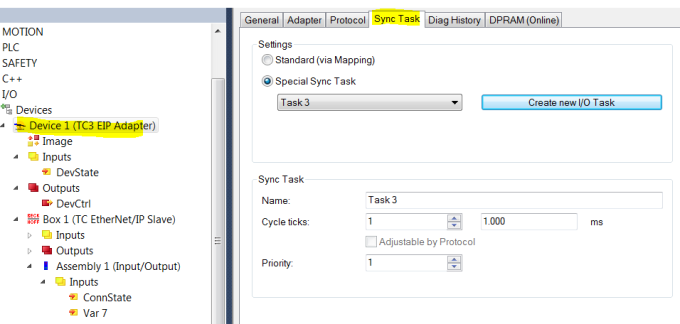
| Use a dedicated Sync Task Use a dedicated Sync Task, since mapping via the PLC can result in the task being stopped, e.g. if a breakpoint is encountered, with the result that the EtherNet/IP™ connection is interrupted. |