Linking MC_ValveCharacteristicCurve
Requirements
- An MC3 FluidPower axis was added to the TwinCAT project;
see Create an axis object, or - An MC3 axis has been extended to include a Valve Characteristic Curve object;
see Expand the axis object with an additional module - A PLC project containing an instance of the function block Tc3_Mc3FluidPower.MC_ValveCharacteristicCurve was created;
see MC_ValveCharacteristicCurve
Initial situation
- Valve Characteristic Curve object created
- Instance of Tc3_Mc3FluidPower.MC_ValveCharacteristicCurve created
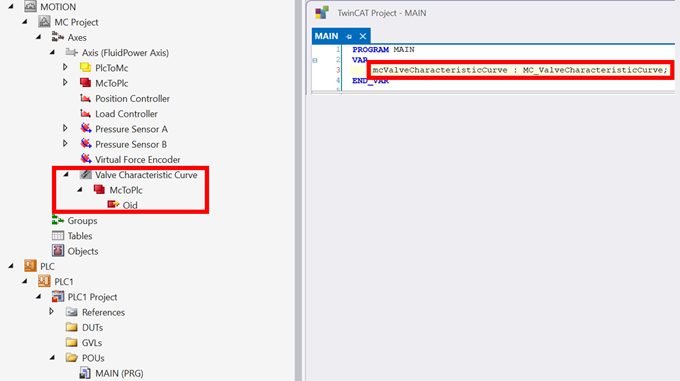
How to
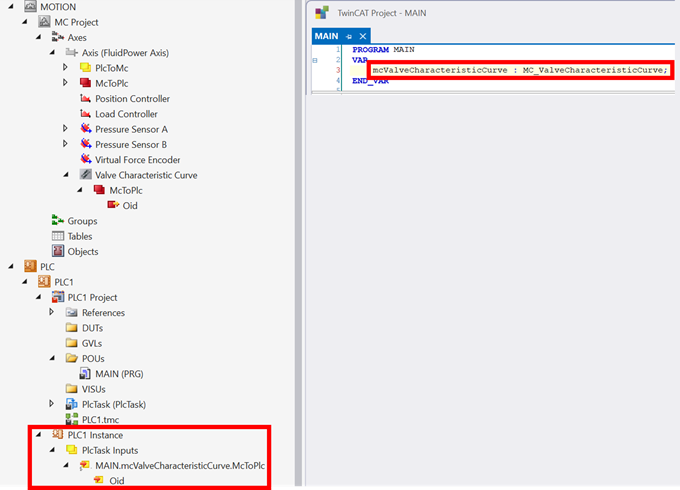
- Create the PLC project
→ The Tc3_Mc3FluidPower.MC_ValveCharacteristicCurve instance appears under PLC Instances in Solution Explorer.
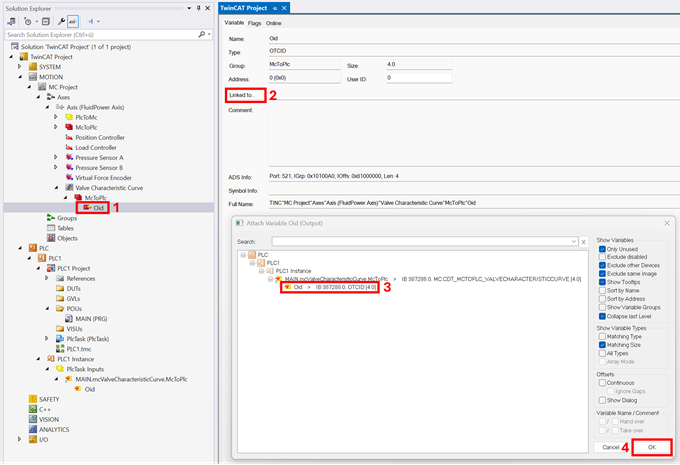
- Link the PLC instance to the Valve Characteristic Curve instance in MC3.
- Activate the TwinCAT project.