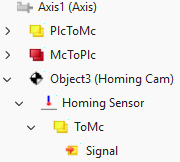
Expand the axis object with an additional module
The axis object can be expanded to include an additional module.
- A TwinCAT project with an MC project has been created;
see Creating an MC project. - An MC3 axis has been added to the TwinCAT project;
see Create an axis object
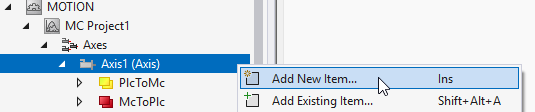
- 1. Right-click Axes > Axis > Add New Item...
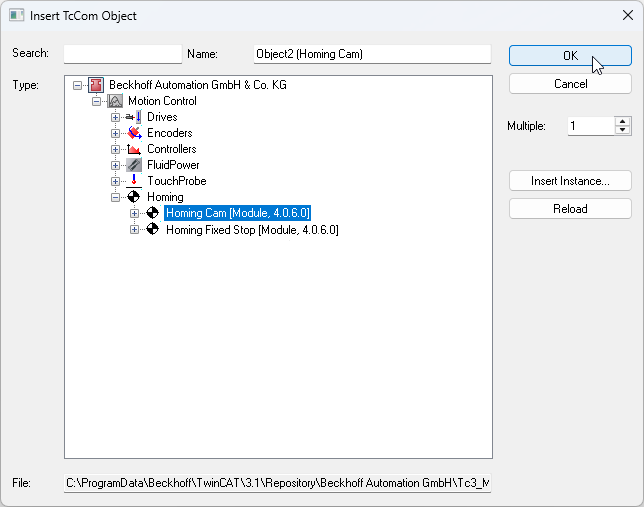
- 2. In the Insert TcCOM Object dialog box, select an object under Motion Control (e.g., Homing > Homing Cam).
- 3. Enter the desired number in the Multiple field and confirm both by clicking the OK button.
- An additional module was successfully inserted below the axis object.