Drive modules
Each axis is equipped with an Simulation Drive module. This allows the axis to be used without real drive hardware. By default, this module is hidden. Configuration is always performed directly through the axis parameters.
As soon as an axis type is selected on the axis Settings tab, the axis has an additional drive module that serves as an interface to the real drive hardware. This drive module is also hidden by default. As long as it is hidden, parameterization is performed via the axis Init Parameter tab, and the cyclic interface to the hardware is configured via the axis Data Area tab.
When the drive module is displayed, parameterization and configuration are performed via the drive module.
 | You can find the available drive modules in the following sections of this chapter. |
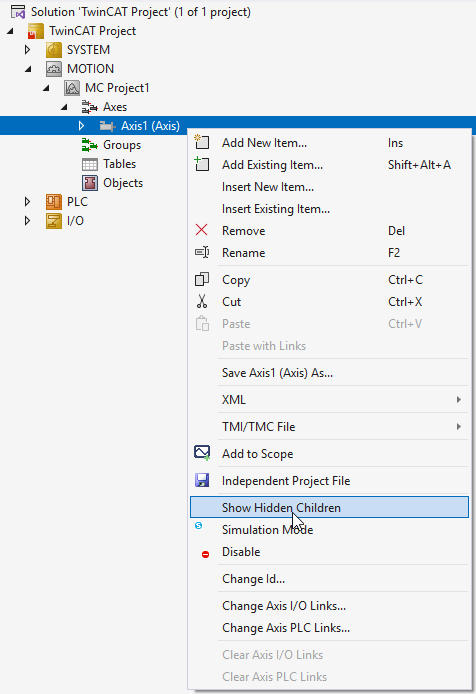
Show drive modules
- The drive modules for an axis are hidden by default.
- 1. Right-click on Axes > Axis > Show Hidden Children to display them.