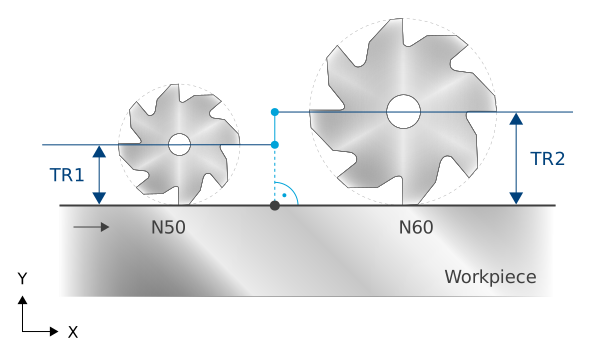
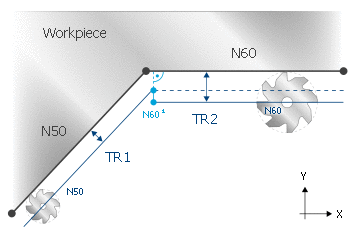
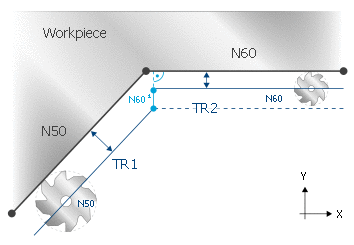
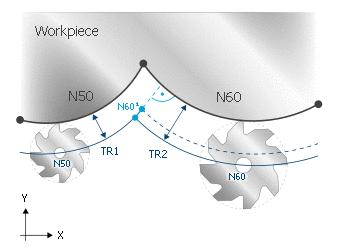
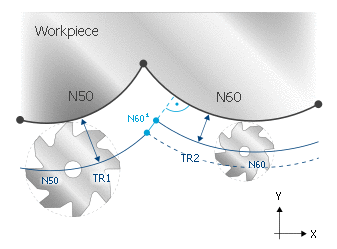
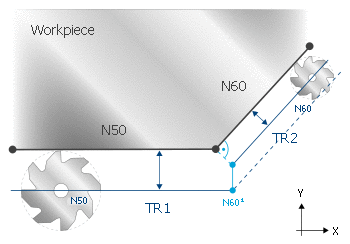
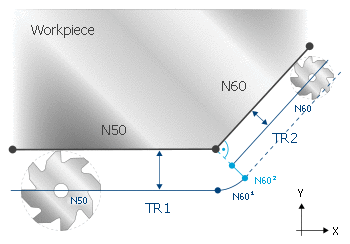
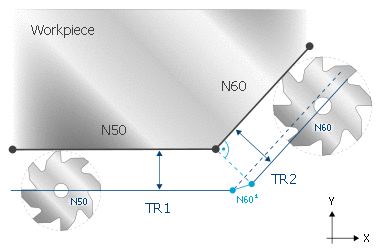
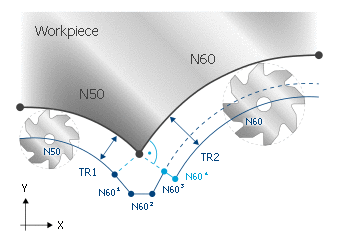
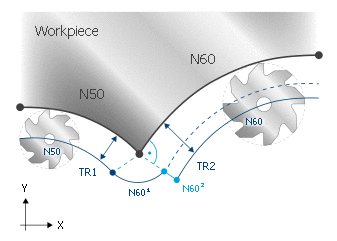
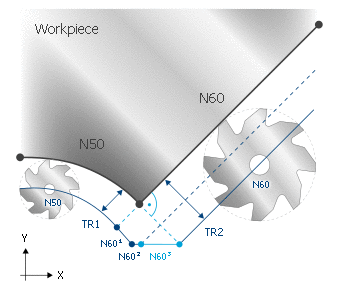
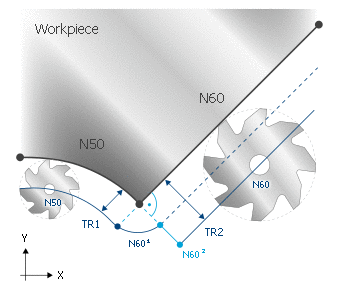
This option directly extends a programmed change in tool radius by inserting a motion orthogonal to the programmed contour.
Orthogonal extension of a tool radius change
Syntax:
#TRC[ [PERPENDICULAR_RADIUS_CHANGE=..] ]
PERPENDICULAR_ RADIUS_CHANGE=..
This parameter can extend the change in tool radius perpendicular to the contour.
0: No perpendicular extension for the change in the new tool radius (default)
1: Perpendicular extension for the change in the new tool radius
In the program examples, a change is made to the tool radius between the programmed motion blocks N50 and N60.
To illustrate the response, a very large change in tool radius is chosen. Normally, a change in tool radius involves very minor compensation, e.g. caused by wear.
Several block transitions are shown in the examples below. All combinations of linear and circular blocks are permitted.