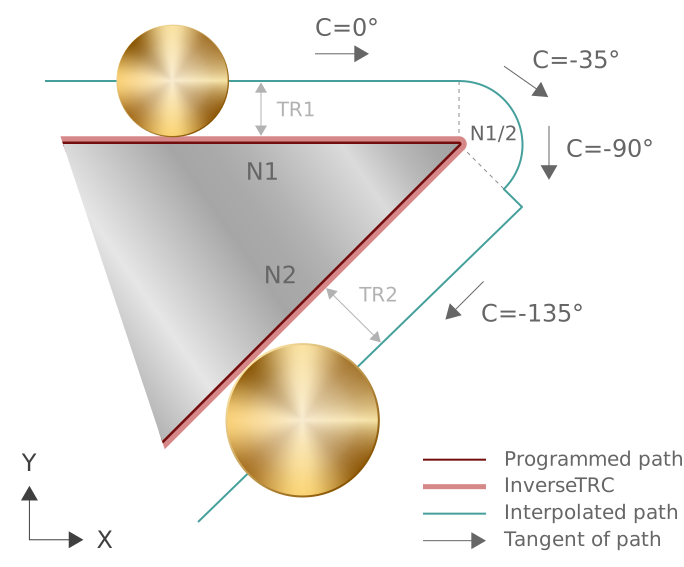
Reaction with block transition at angles greater than 180°
Static tool radius compensation adds circular elements to close contours when G26 and block transitions with transition angles greater than 180° are used. An inserted circular element makes a parallel path tangentially continuous.
A contour tangent continuously changes in a circular element.
The time for changing a contour tangent is approximately the traversed circular path divided by the velocity attained.
The inverse TRC is reduced to a single point when an added circular element is interpolated.
Based on this inverse TRC path, online tool radius compensation calculates the required TRC compensation in every tracing cycle.
Perpendicular tool
With a perpendicular tool, the resulting online TRC path is identical to the planned 2D TRC path.
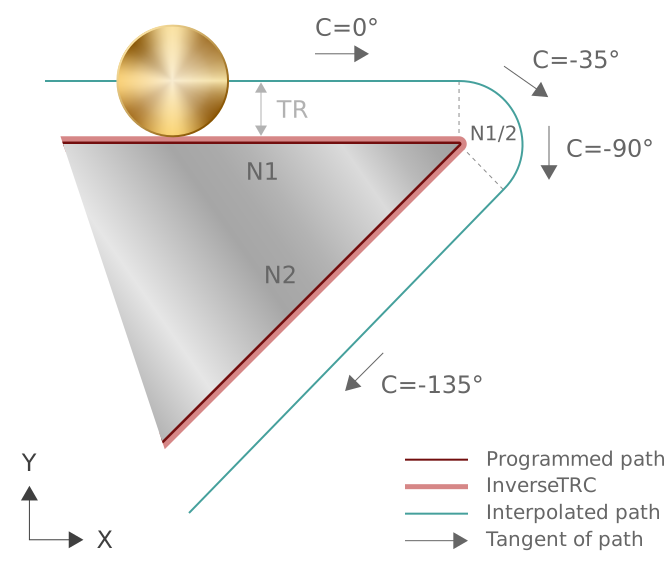
Response with a perpendicular tool
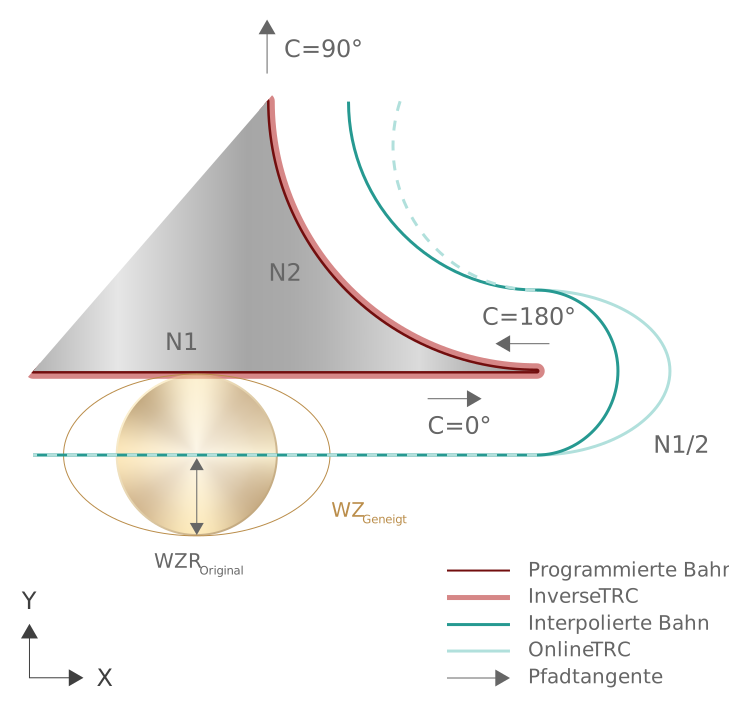
Other block transitions are contained in [PROG, section: Generating compensation blocks].
Change in tool radius:
If the tool radius is changed when tool radius compensation is active, the parameter can be influenced by the TRC option “PERPENDICULAR_RADIUS_CHANGE”.
By default, if an option is inactive, the changed tool radius is extended in the following motion block (see Reaction to change in tool radius).
The tool radius is then changed to the set option at the outside corner.