Exporting a project
The user interface offers two options for exporting and using the current project with a TwinCAT OPC UA Server. The first option for the local server is primarily designed for the “same system” scenario described in the Use cases. The second option for non-local servers is primarily intended for the "Different systems" scenarios.
Deployment of the project on the local TwinCAT OPC UA server
To deploy the project to the local TwinCAT OPC UA Server, click the Deploy configuration to local TwinCAT OPC UA Server button in the Instance Explorer toolbar.
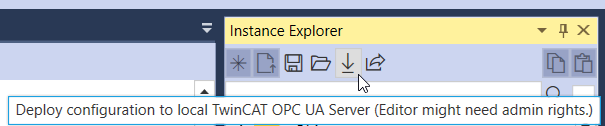
This exports the project nodeset, including the necessary dependencies, to the locally installed TwinCAT OPC UA Server and also creates a corresponding configuration file for the server. The directory from the options or the project file is used as the target (see Application and project settings).
 | Restart the TwinCAT OPC UA Server to load the configuration The TwinCAT OPC UA Server must be restarted after the configuration has been adjusted in order to apply it. For this reason, the server should be restarted after deployment via the Nodeset Editor in order to load the new TcUaNodesetConfig and the nodesets configured in it. The address space of the server then contains all the nodes contained in the nodesets. |
Deployment of the project on a non-local TwinCAT OPC UA Server
To deploy the project to a TwinCAT OPC UA Server that is not installed locally, click on the Export configuration to a folder of your choosing button in the Instance Explorer toolbar.

A selection dialog opens, which opens in the export directory (see Application and project settings) by default.
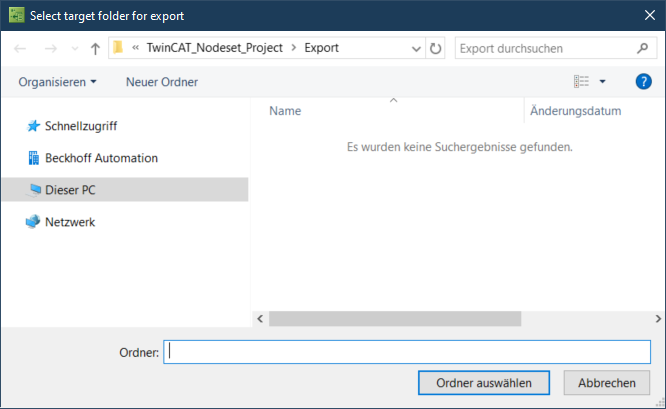
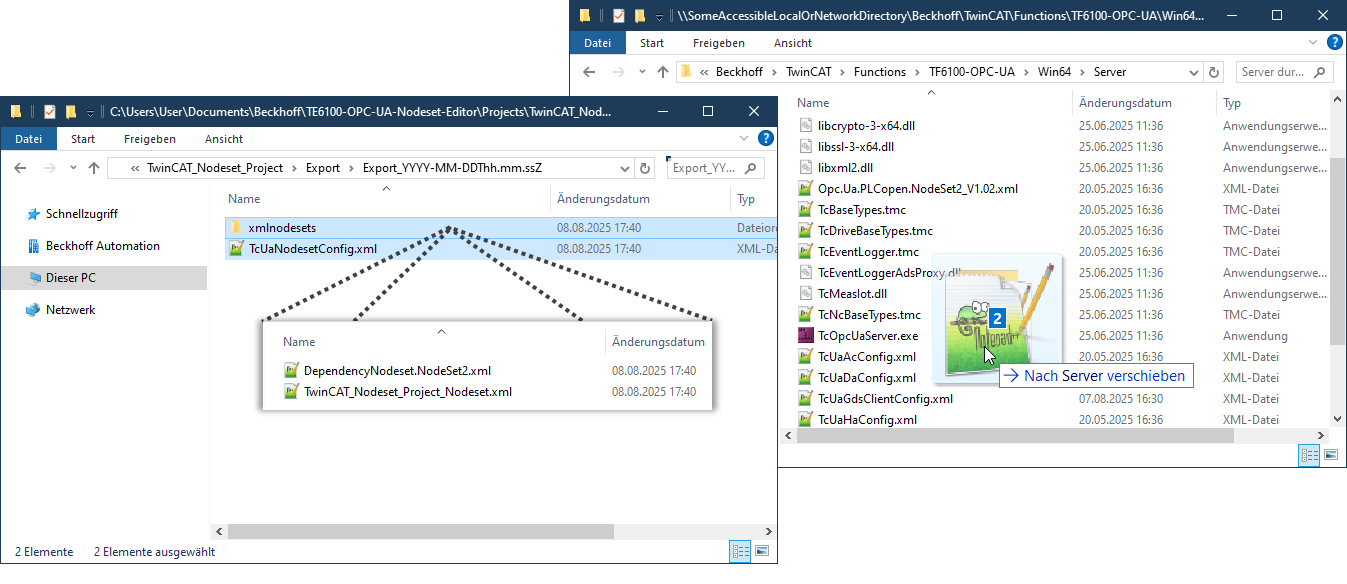
Once a folder has been selected, the project nodeset, including any necessary dependencies, is exported to this folder and a corresponding configuration file is created for the server. The entire contents of the folder can then be copied manually to a current TwinCAT 3 OPC UA Server (see Use cases). If direct file access is possible, this can simply be done via Explorer, for example:
| Restart the TwinCAT OPC UA Server to load the configuration The TwinCAT OPC UA Server must be restarted after the configuration has been adjusted in order to apply it. For this reason, the server should be restarted after deployment via the Nodeset Editor in order to load the new TcUaNodesetConfig and the nodesets configured in it. The address space of the server then contains all the nodes contained in the nodesets. |
If several TwinCAT OPC UA Servers are in use, the last step of the deployment can be repeated as often as required for non-local servers. Plans are in place for further deployment options in a future version of the editor that will simplify the transfer process to the TwinCAT OPC UA Server even more.