Columns
The columns to be displayed in the Event Grid.
Engineering:
The columns to be displayed in the Event Grid can be configured in the columns editor. The columns can also be configured in the client at runtime.
An entry is added for each column. The column name is specified via the combo box. There you can choose one of the available columns.
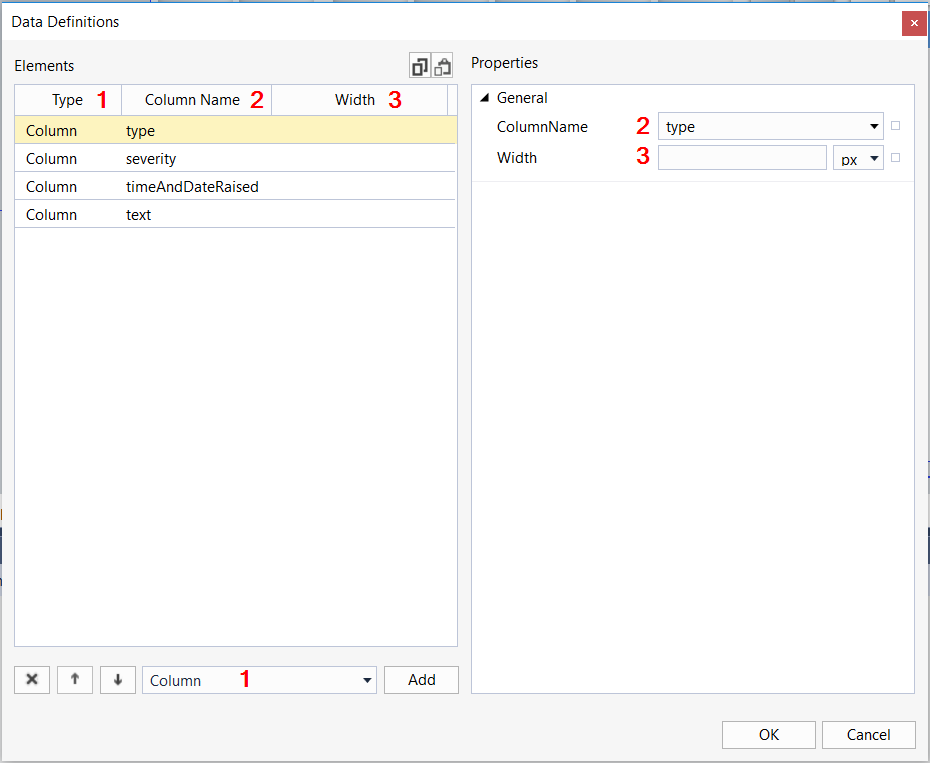
The columns editor consists of the following areas:
- Type: The type of column indicates whether it is a normal "Column" or a "CustomColumn". The choice of the column type can be made via the lower combo box (1). The parameters of the parameter object of an event can be displayed in a custom column.
- ColumnName: The name of the column to be displayed.
For a column of type "Column", the names can be chosen via the combo box.
For a column of type "CustomColumn", the parameters are displayed via the keyword "params::" (without quotation marks) and the name of the parameter in camelCase.
Using the event logger as an example, the "SourceName" can be displayed in a column: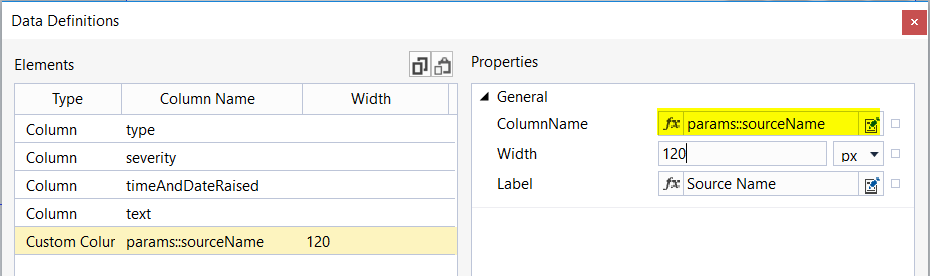
The parameter object can differ for different event sources. If an event does not have the parameter in the parameter object configured in the column, an empty entry is displayed in the corresponding cell. - Width: the width of the column. If no value is specified, the width is set automatically.
Items | List of all objects added |
|---|---|
| Delete the selected object |
| Change the object order (top = left) |
| Add a new object |


Schema (version .1.10): tchmi:framework#/definitions/EventGridColumnList
Schema (version .1.12): tchmi:framework#/definitions/TcHmi.Controls.Beckhoff.TcHmiEventGrid.ColumnList
Attribute getter
public getColumns(): TcHmiEventGrid.Column[] | undefined;Parameter
Name | Type | Description |
|---|---|---|
- | - | - |
Return value
Type | Description |
|---|---|
The current value of the attribute. |
Attribute setter
public setColumns(valueNew: TcHmiEventGrid.Column[] | null): void;Parameter
Name | Type | Description |
|---|---|---|
valueNew | The new value of the attribute. If null is passed, the internal default value is used. |
Return value
Type | Description |
|---|---|
void | No return value |
 | Available from version 1.10 |