Database Extension
Open the configuration of the database extension in the HMI project under Server/TcHmiDatabase.
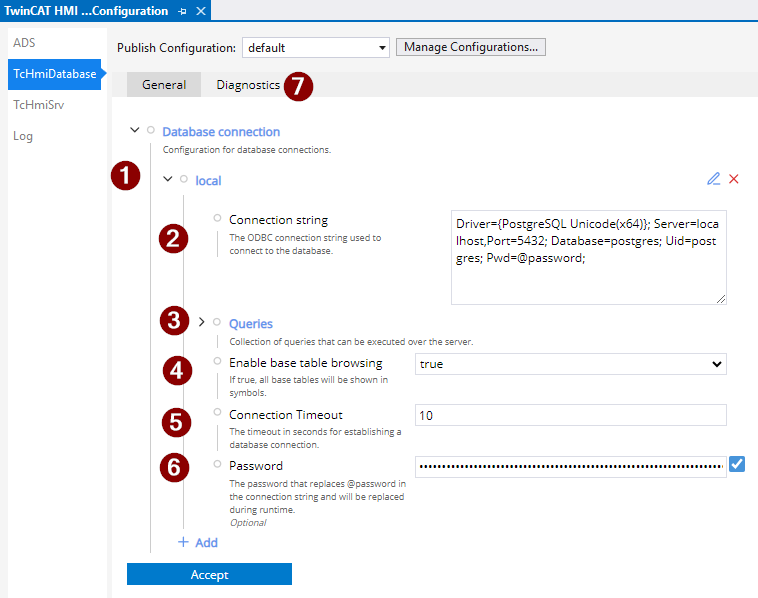
- Name of the database connection
- Connection string
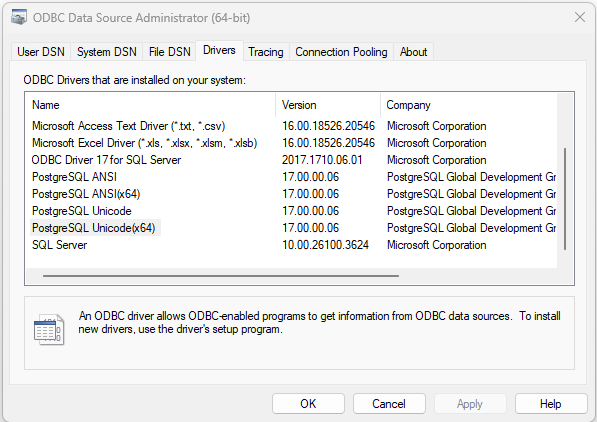
Driver | ODBC driver name Under Windows, all database drivers can be listed with the ODBC Data Source Administrator program.
|
Server | Host name or IP of the database system |
Port | TCP port of the database system |
Database | Database name |
Uid | Username |
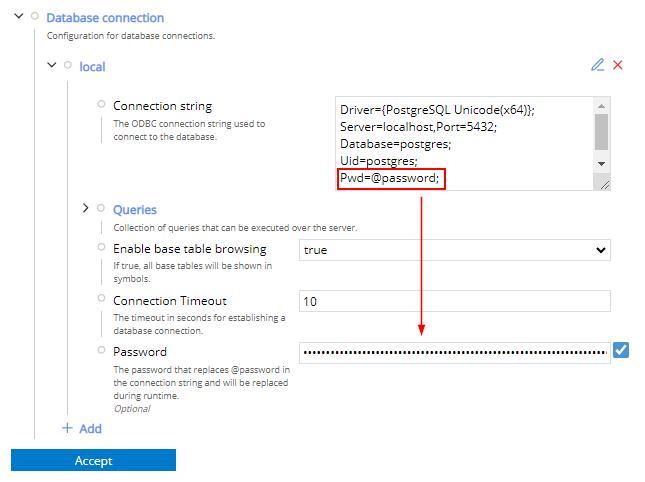
Pwd | Password @password = Parameter for not displaying the password in plain text.
|
- Queries: Specific database queries can be created here.
- "Enable Database Browsing" creates all tables as a symbol if it is activated.
- Connection Timeout: Interval until a connection timeout is reported
- Password: Password that is exchanged if @password is used as the password in the connection string.
- Diagnostics: Shows the status of the connection to the database.
Further Information