Setting the encoder supply voltage
The EP7041-4032 can supply the connected encoder with either 5 VDC or 9 VDC. The factory setting is 5 VDC. This setting also applies to the high level of the "DIR" and "SET" signals.
Procedure for changing the encoder operating voltage:
- 1. Select the subordinate device "EP7041-0000" in the Solution Explorer.
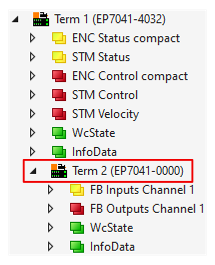
- 2. Write the value 0x72657375 (ASCII: "user") to the CoE parameter 0xF008 "Code word".
- The supply voltage setting is enabled.
- 3. Select the desired supply voltage in CoE parameter 0x8008:12 "Supply Voltage".
- 4. Click on "Reload Devices".

- The selected supply voltage is output.