Integer scaler (only when using PDO SINT16)
The “107%” optional Extended Range has been introduced for Beckhoff analog channels in order to be able to measure slightly above the nominal full scale value (FSVnom) of e.g. 10 V or 20 mA for commissioning and diagnostic purposes (support depends on the device). Then the channel actually measures up to a defined technical full scale value, FSVtechn, which is slightly higher than the nominal full scale value, FSVnom.
The definition for 16 bits is as follows:

Setting:
- Index 0x80nD:12 = “Extended Range” (default setting)
The channel measures up to the technical measuring range, which is approximately 107% of the nominal measuring range.
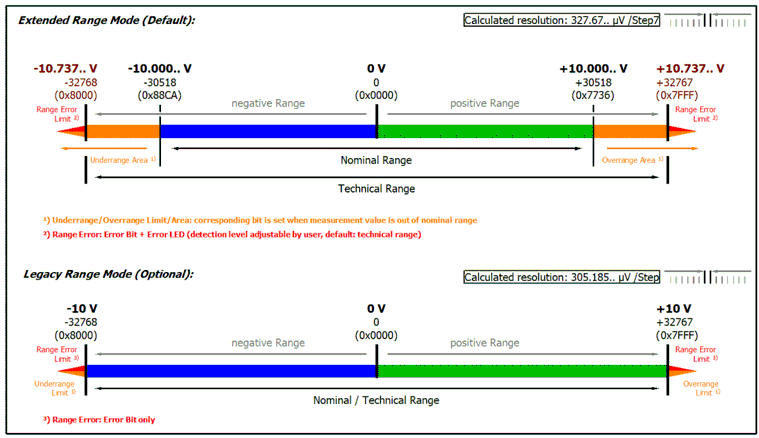
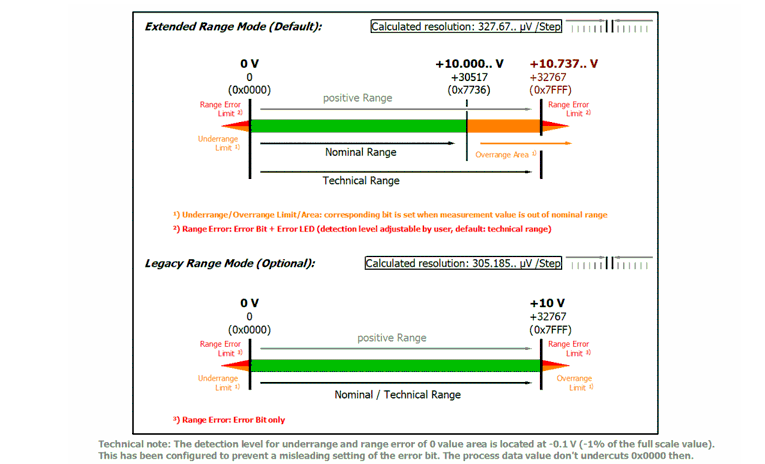
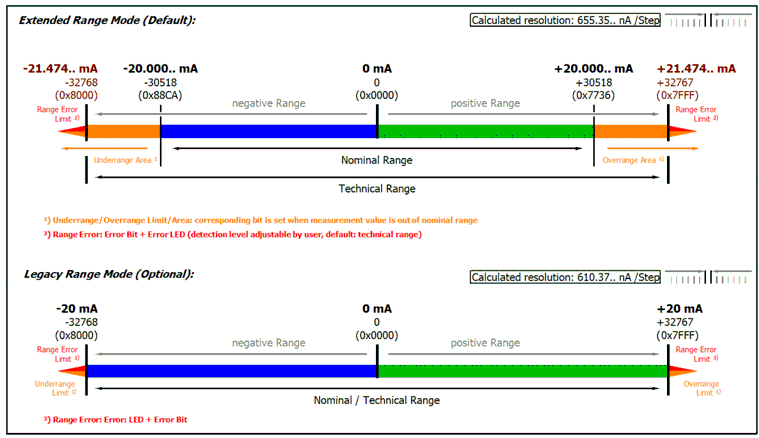
For the Extended Range with 16 bit SINT PDO (16 bits + sign), the PDO value ±30518 (0x7736) has been defined as the nominal FSV = 100%. Accordingly, the displayable measuring range now extends to 0x7FFF = 32767 ~ 107.37% of the nominal measuring range. - Index 0x80nD:12 = “Legacy Range”
The channel measures up to 100% of the nominal measuring range.
Accordingly, 0x7FFF = 32767 should be interpreted as 100% of the nominal FSV.

Depending on the interface, this then means SINT16 -> Real32 for the conversion in the controller (if the over/underrange PDO is set to the default setting):
Notice | |
Invalid error limits following a change to the “Integer Scaler” If the “Integer Scaler” parameter is changed, the error limits (“Range Error”) are not automatically updated. As a result, measured values may be incorrectly interpreted as invalid or valid after a change.
|
Measuring range ±10 V (bipolar)
Measuring range 0…10 V (unipolar)
Measuring range ±20 mA (bipolar)
Measuring range 0…20 mA (current loop)
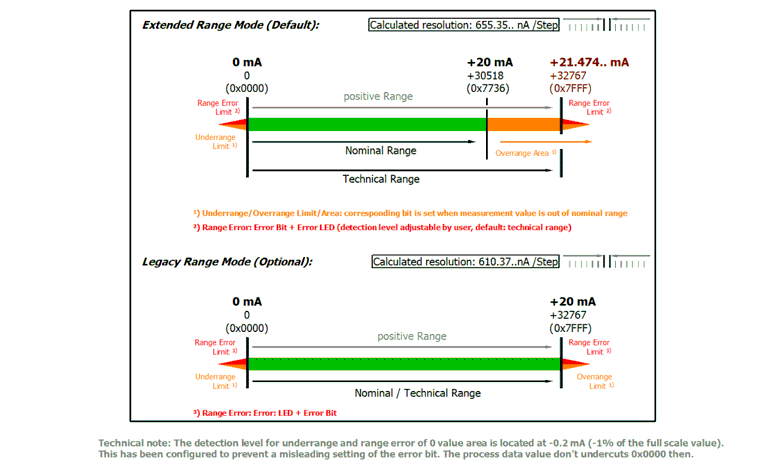
Measuring range 4…20 mA (current loop)
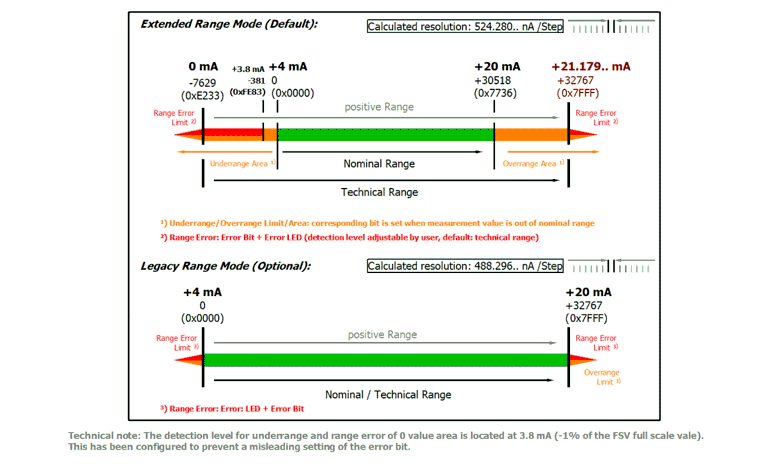
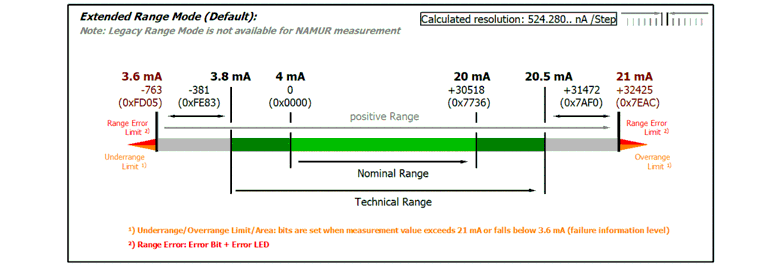
Measuring range 4…20 mA, NAMUR NE43 (current loop)