Enabling movers
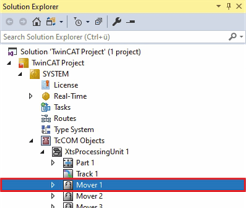
- ►Expand Solution Explorer > TwinCAT Project > SYSTEM > TcCOM Objects > XtsProcessingUnit
- ►Click on the Mover to be activated
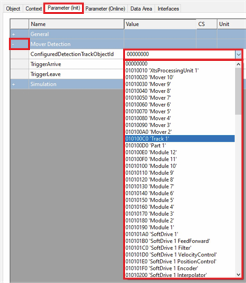
- ►Click the Parameter (Init) tab in the project window
- ►Expand Mover Detection
- ►In the drop-down menu ConfiguredDetectionTrackObjectId select the track on which the mover is located
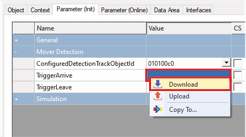
- ►Right-click in the input field TriggerArrive to open the context menu
- ►In the context menu click Download