Starting
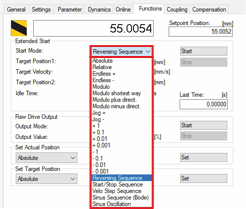
- ►Select Reversing Sequence in the drop-down menu Start Mode
- ►Enter a value for the first target position in the input field Target Position1
- ►Enter a value for the velocity in the input field Target Velocity
- ►Enter a value for the second target position in the input field Target Position2
- ►Enter a value for the idle time at the target in the input field Idle Time
- ►Click on Start to start the function Reversing Sequence
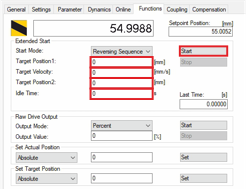
The mover now moves continuously back and forth between the two target positions.