Processing Unit
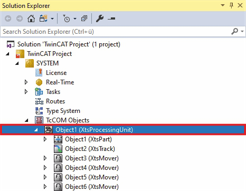
- ►Expand Solution Explorer > TwinCAT Project > SYSTEM > TcCOM Objects
- ►Double-click on Object (XtsProcessingUnit)
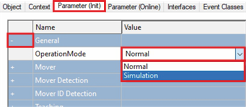
- ►Click the Parameter (Init) tab in the project window
- ►Expand General
- ►Select OperationMode Normal or Simulation in the drop-down menu
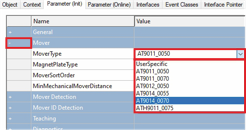
- ►Expand Mover
- ►Select the appropriate mover in the drop-down menu MoverType
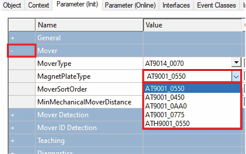
- ►Select the corresponding magnetic plate set of the mover in the drop-down menu MagnetPlateType
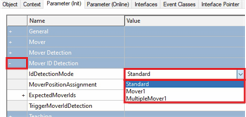
- ►Expand Mover ID Detection
- ►In the drop-down menu IdDetectionMode, select whether no, one or several Mover 1 are used on the XTS system
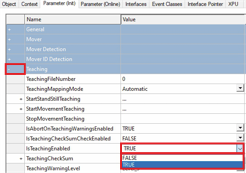
- ►Expand Teaching
- ►Select TRUE in the IsTeachingEnabled drop-down menu