Connection
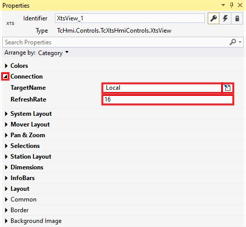
- ►Expand Properties > Connection
- ►Enter the target PC in the input field TargetName
OR
- ►Click on the button to open the Multiline editor
- ►If necessary, adjust the value in the input field RefreshRate
The table shows the default parameter settings for the Connection properties:
Property | Explanation | Default setting |
|---|---|---|
TargetName | Name of the target PC, specified connection to the XTS system | Local |
RefreshRate | Refresh rate for adaptation to end devices | 16 |