Create bootable USB stick
Before you can install TwinCAT/BSD on a Industrial PC, you must create a bootable USB stick and upload the current image to the USB stick. Use a flash tool such as Rufus to do this. You can then start Industrial PC from the USB stick and install TwinCAT/BSD.
Requirements for this step:
- Download the Rufus tool from: https://rufus.ie/
- Bootable ISO file for TwinCAT/BSD installation
- USB stick with at least 2 GB storage space.
Proceed as follows:
- 1. Start the Rufus tool on a PC with a Windows operating system.
- 2. Click Select and select the image you want to upload to the USB stick.
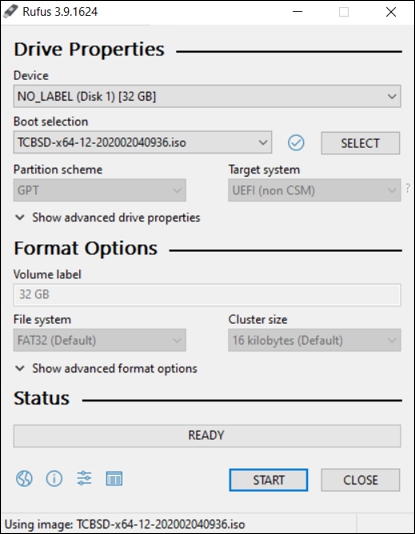
- 3. Under Device, select a USB stick as the target drive. If only one external drive is connected to your PC, the USB stick will be selected automatically.
Data on the USB stick is irrevocably deleted. - 4. Click Start to upload the image to the USB stick.
- The process may take a few minutes. Do not cancel the process until the Ready message appears. You have successfully created a bootable USB stick and can install TwinCAT/BSD on the Industrial PC in the next step.
Notice | |
Backups on a partition that has not yet been initialized will be lost After creating it with Rufus, the USB flash drive initially contains only the partition Therefore, do not copy any backup files to the USB drive until it has been booted. Otherwise, the installer will not recognize the files as backups, or they will be lost (see: Partitions and folder structure). |