Logging
The TwinCAT OPC UA Client offers various options for carrying out error diagnostics.
From client version 2.x.x
The TwinCAT XAE ErrorLog, which is enabled by default and can be viewed in the TwinCAT XAE Engineering environment, is used to log error states:

Depending on the operating system used, the ErrorLog can be read out via other mechanisms. Under Microsoft Windows, the Windows Event Viewer is available for this purpose, in which the messages are saved within the "Application Log".
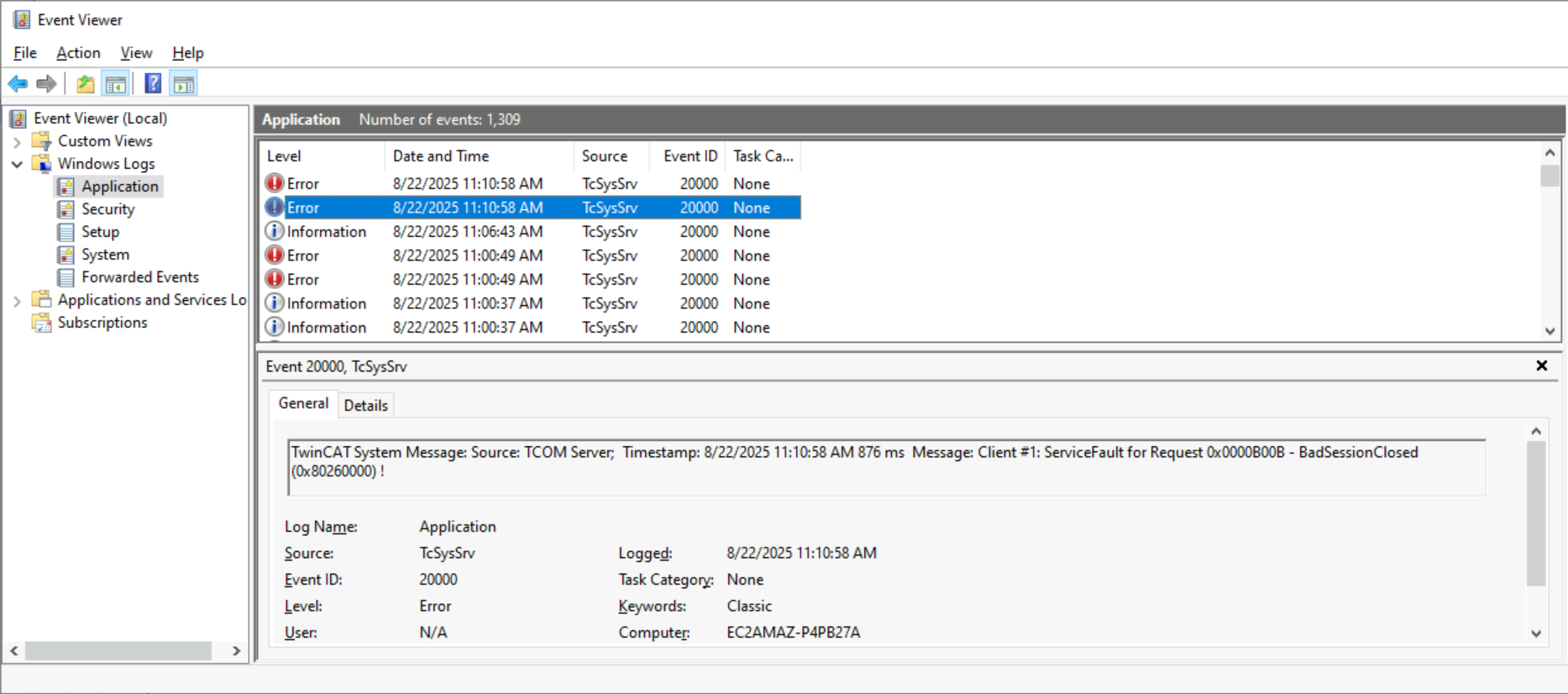
Under Linux®, these messages can be viewed using the "journalctl" command.

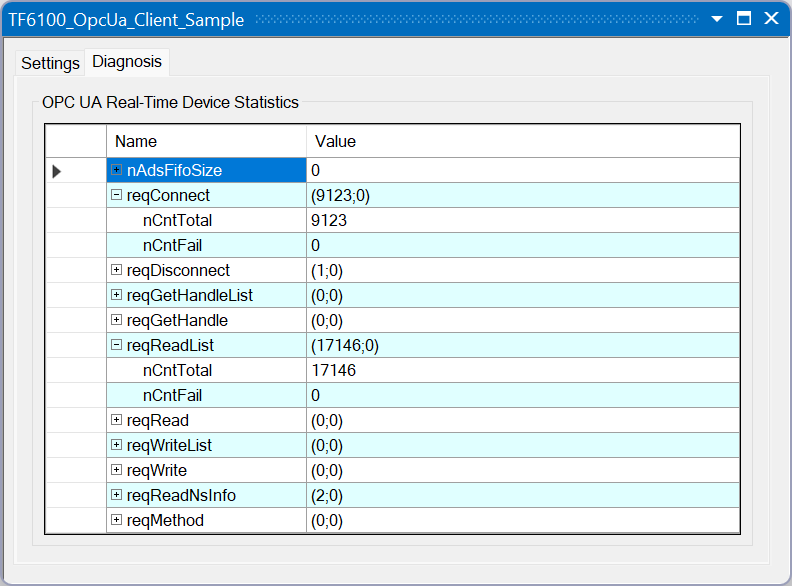
In addition to these functions of the TwinCAT XAE ErrorLog, extended diagnostic options are available on the I/O device.
Previous client versions
Both a so-called “StackTrace” and an “AppTrace” can be enabled. The StackTrace provides diagnostic information on the OPC UA stack, whereas the AppTrace is limited to the pure client application and is also sufficient in most cases. All settings listed in the following table are created under the following registry key:
4026: HKLM\SOFTWARE\WOW6432Node\Beckhoff\TwinCAT3 Functions\TF6100 OPC UA Client
4024: HKLM\SOFTWARE\WOW6432Node\Beckhoff\TwinCAT3 Functions\TF6100 OPC UA\Configuration
Type | Name | Data type | Data |
|---|---|---|---|
AppTrace | logfile | REG_SZ | Name of the logfile |
AppTrace | logmode | REG_DWORD | 0x00 (0) = disabled 0x02 (2) = enabled 0x12 (18) = enabled logging with additional debug outputs |
StackTrace | tracelogfile | REG_SZ | Name of the logfile |
StackTrace | tracelogmode | REG_DWORD | 0x00 (0) = disabled 0x01 (1) = enabled |
After a change, at least one TwinCAT context change must occur (Windows CE: full device restart). This ensures that the changes to logging are enabled.
The log is stored in the following folder: C:\ProgramData\Beckhoff\TF6100-OPC-UA\TcOpcUaClient\logs. The file name can be changed via the registry.