SetPositionEnabled
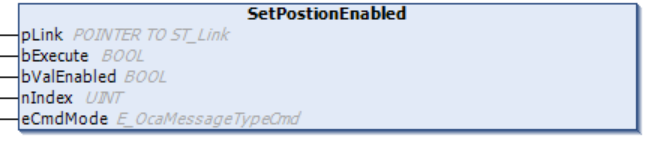
The SetPositionEnabled method can be used to enable or disable a specific switch position specified by nIndex. If the query was successful, the result is output in the stPositionEnabled property.
 | Cyclic method call Since several PLC cycles may pass between sending and the response from the device, this method should be executed cyclically. |
Syntax
VAR_INPUT
pLink : POINTER TO ST_Link; //Pointer to address of the structure which links the OCA objects to the OCA device
bExecute : BOOL; //The Method is triggered by a rising edge at this input.
bValEnabled : BOOL; //Set this Input to TRUE to enable the Position specified by nIndex or FALSE to disable this Position
nIndex : UINT; //The Index of the Position which shold be modified
eCmdMode : E_OcaMessageTypeCmdbLock;
END_VAR Inputs
Name | Type | Description |
|---|---|---|
pLink | POINTER TO ST_Link | Pointer for establishing a connection between OCA objects and the OCA device |
bExecute | BOOL | The method is executed with a positive edge at the bExecute input. |
bValEnabled | BOOL | If this input is set to TRUE, the switch position selected by nIndex is enabled when this method is executed. If the input is set to FALSE, the switch position is disabled. |
nPosition | UINT | Switch position for the OCA object. |
eCmdMode | E_OcaMessageTypeCmdbLock | Depending on whether confirmation is required or not, this input variable is set to E_OcaMessageTypeCmd.OcaCmdRrq or E_OcaMessageTypeCmd.OcaCmd. |