SetEnable
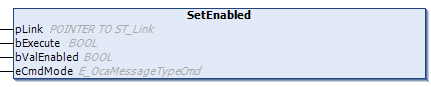
The SetEnabled method can be used to enable or disable an OCA object. If the method was executed successfully, the result is output in the stEnabled property.
 | Cyclic method call Since several PLC cycles may pass between sending and the response from the device, this method should be executed cyclically. |
Syntax
VAR_INPUT
pLink : POINTER TO ST_Link;
bExecute : BOOL;
bValEnabled : BOOL;
eCmdMode : E_OcaMessageTypeCmd;
END_VAR Inputs
Name | Type | Description |
|---|---|---|
pLink | POINTER TO ST_Link | Pointer for establishing a connection between OCA objects and the OCA device. |
bExecute | BOOL | The method is executed with a positive edge at the bExecute input. |
bValEnabled | BOOL | Depending on whether the OCA object is to be enabled or disabled, this input must be assigned TRUE or FALSE. |
eCmdMode | E_OcaMessageTypeCmd | Depending on whether confirmation is required or not, this input variable is set to |