Oscilloscope
Scope.content
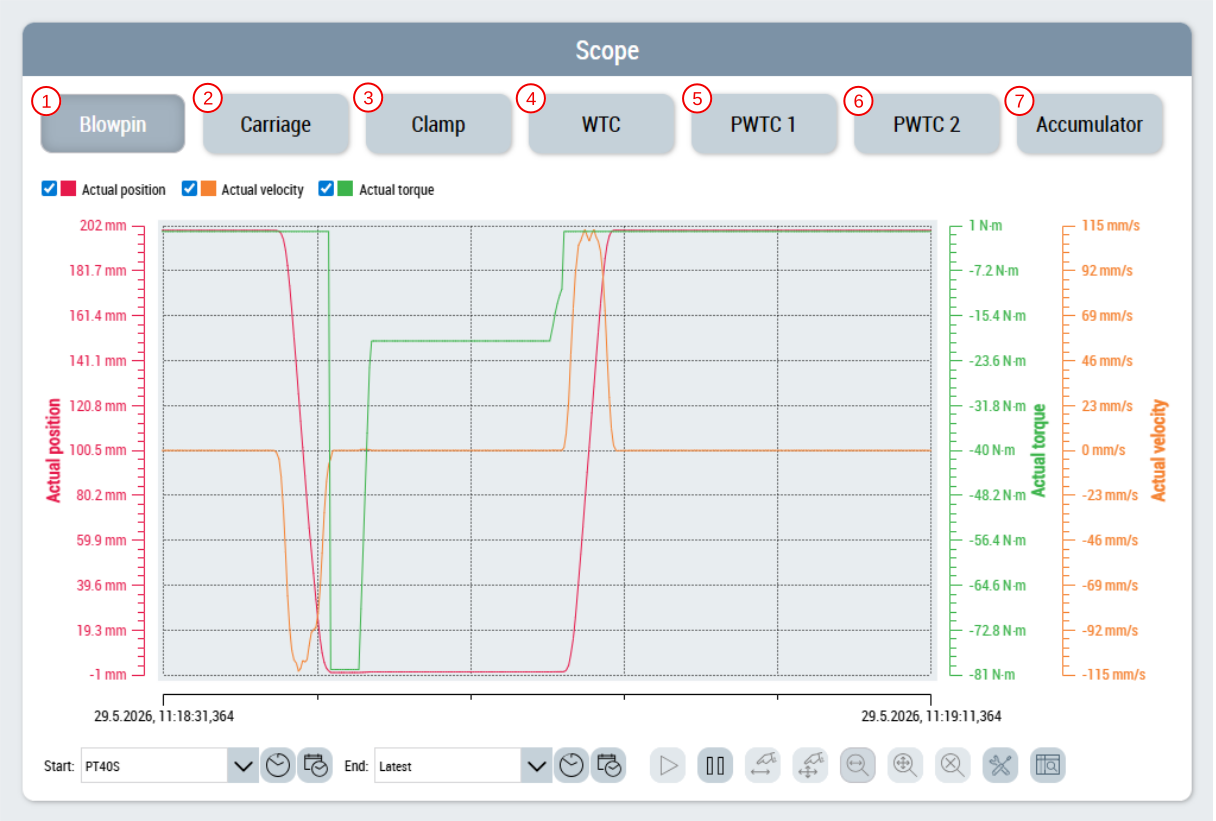
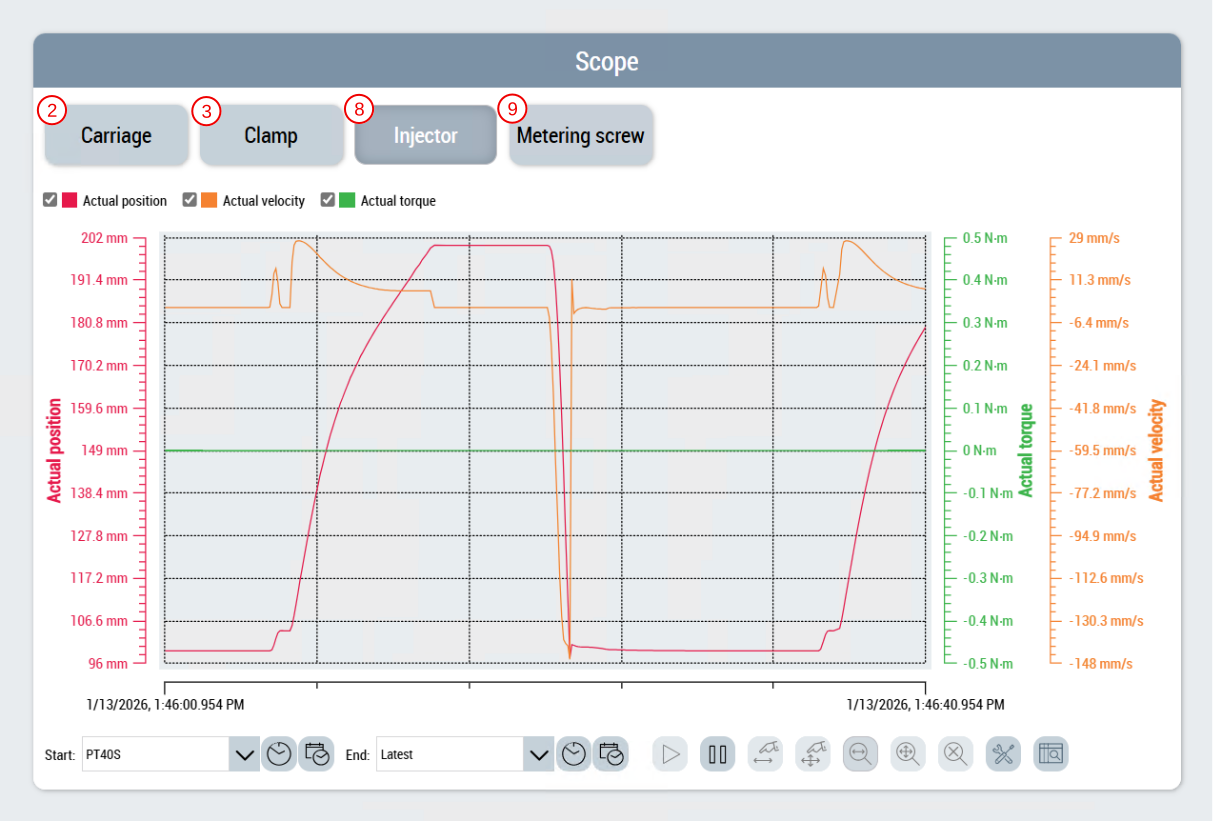
The oscilloscope page is used to display the following historized symbol values per axis:
- Actual value of the position.
- Actual value of the velocity.
- Actual value of the torque.
The function UpdateScope is triggered from the Beckhoff.TwinCAT.HMI.Plastic.Functions NuGet package with the TcHmiToggleButton controls. The function ensures that the TcHmiTrendLineChart control adapts to the selected axis.
TcHmiToggleButton | Available in the following variants |
|---|---|
Blow pin (1) |
|
Carriage (2) |
|
Clamp (3) |
|
WTC (4) |
|
PWTC 1 (5) |
|
PWTC 2 (6) |
|
Accumulator (7) |
|
Injection unit (8) |
|
Metering screw (9) |
|


Blow molding variant
Injection molding variant
 | Available from version 12.6.0 |
| Available in the variants (link):
|