Copy Action
If the ShowCopy attribute is set to true, a copy button appears on the header area. Clicking on copy button starts a copy dialog with a popup.
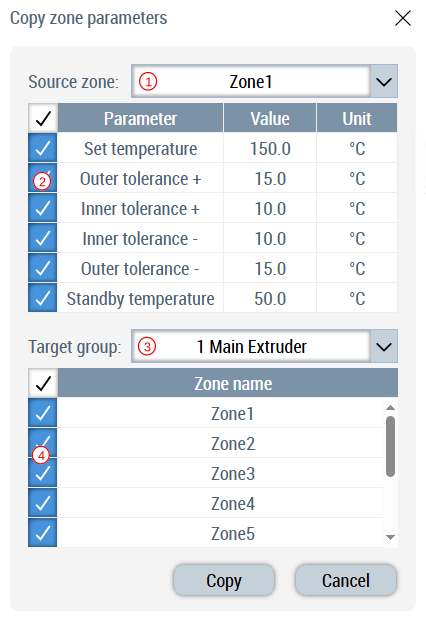
- Select the source zone.
- On selecting source zone its related parameters are shown in selection table. User can select which parameters are to be copied to other zones.
- Select target temperature group to list its zones.
- On selection of temperature group, the list of its member zones are updated in the table. User can select the zones to which selected parameters from source zone should be copied.
- Clicking copy will execute this copy action.