Edit or remove a schedule
By tapping or clicking on schedule which should be edited.
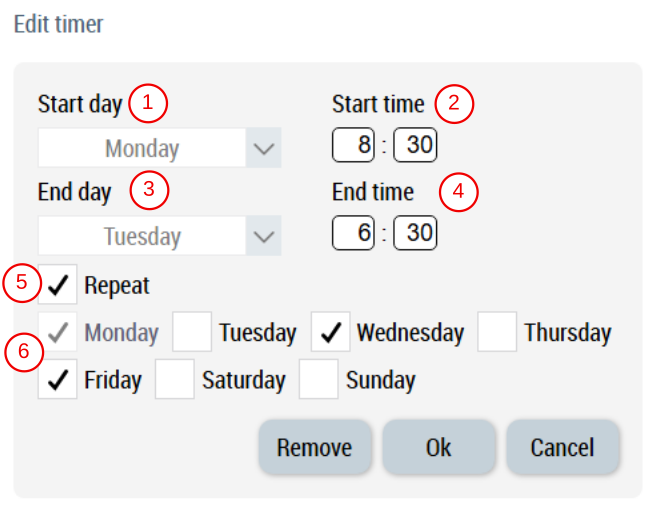
Once a schedule is selected, executing EditScheduleData action will show the dialog to edit or remove it.
- Select start day.
- Enter start time hours and minutes.
- Select end day.
- Enter end time hours and minutes.
- If total duration is not more than 24 hours, option to repeat this schedule is available.
- Select days where this schedule should be repeated
Available: since version 12.6.0
See also