Application
The following shows how the TcPowerMeasureEL3783 module (version 0.1.3) is used in TwinCAT XAE (version 3.1.4026.22) with an EL3783.
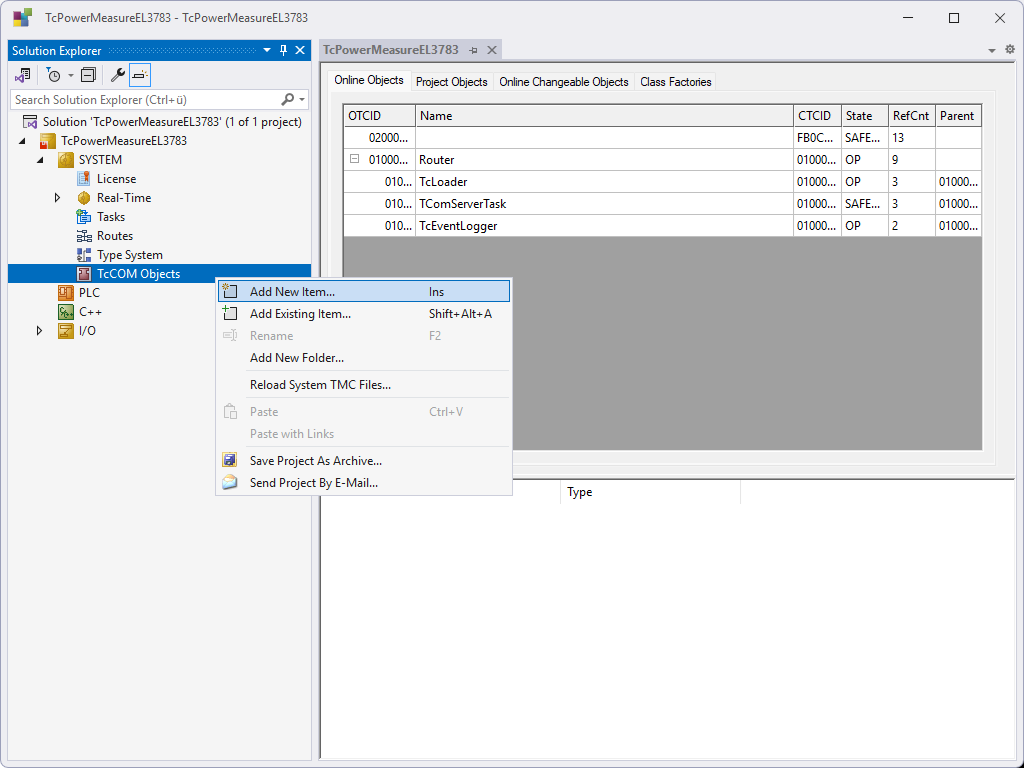
- 1. Right-click on TcCOM Objects in the Solution Explorer and select Add New Item....
- You have added a new module.
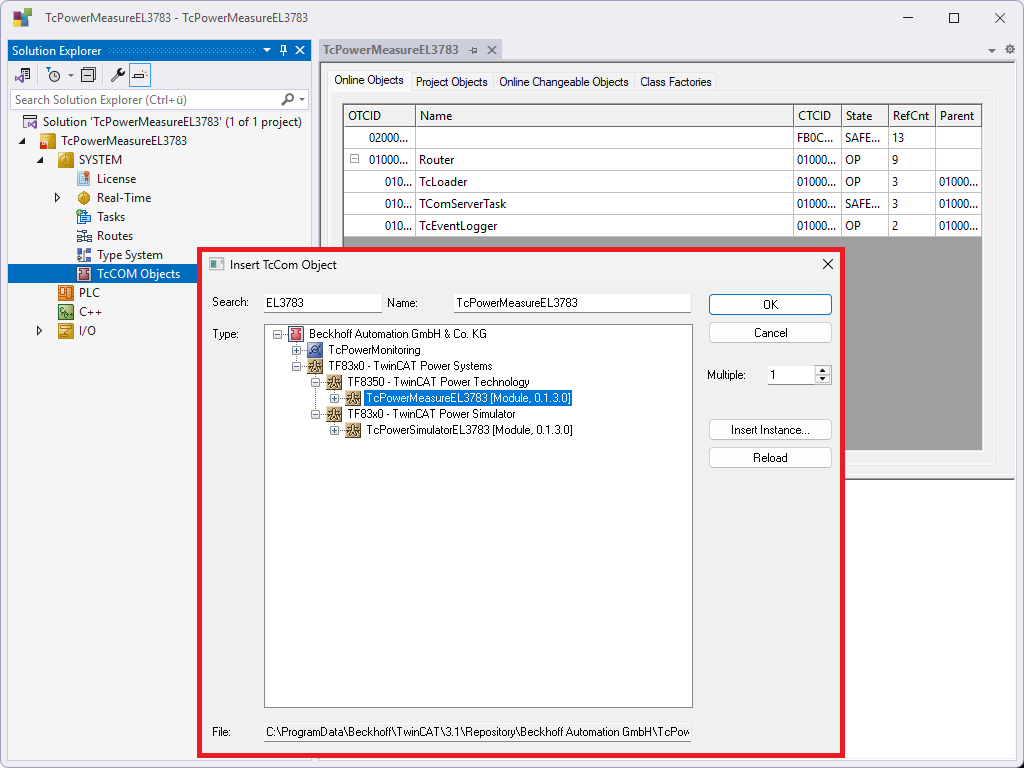
- 2. Use the search input field (Search) of EL3783 to choose the TcPowerMeasureEL3783 module.
- 3. Assign a name and click the OK button.
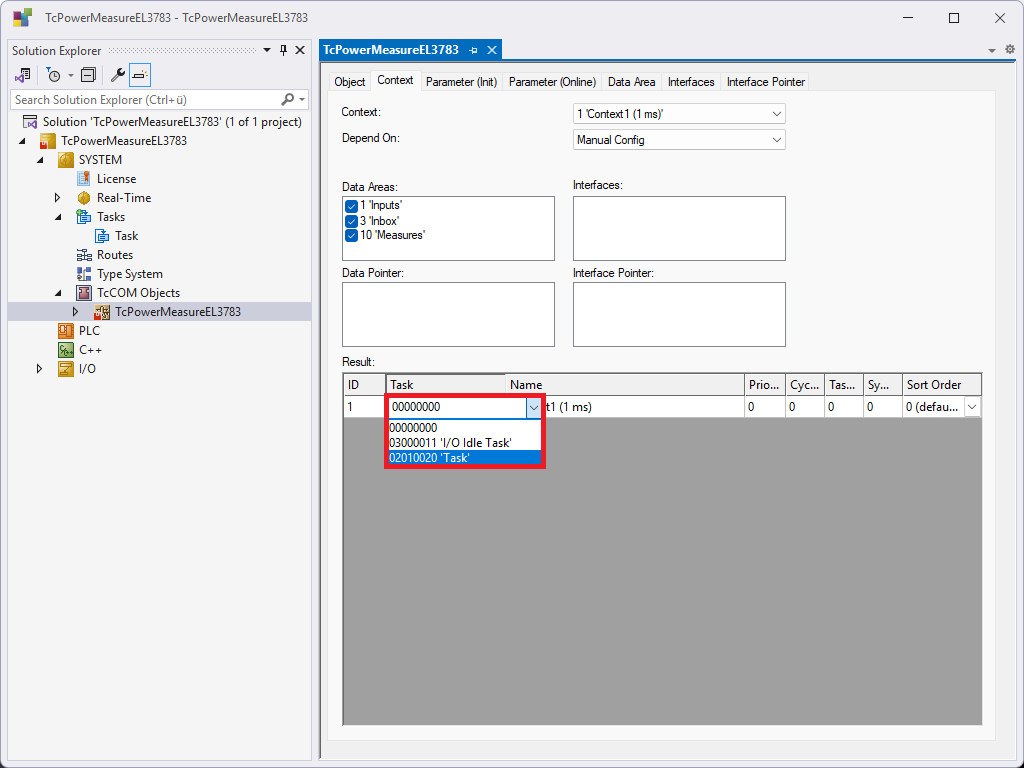
- 4. Assign a task with a cycle time of 1 ms to the module in the Context > Result tab.
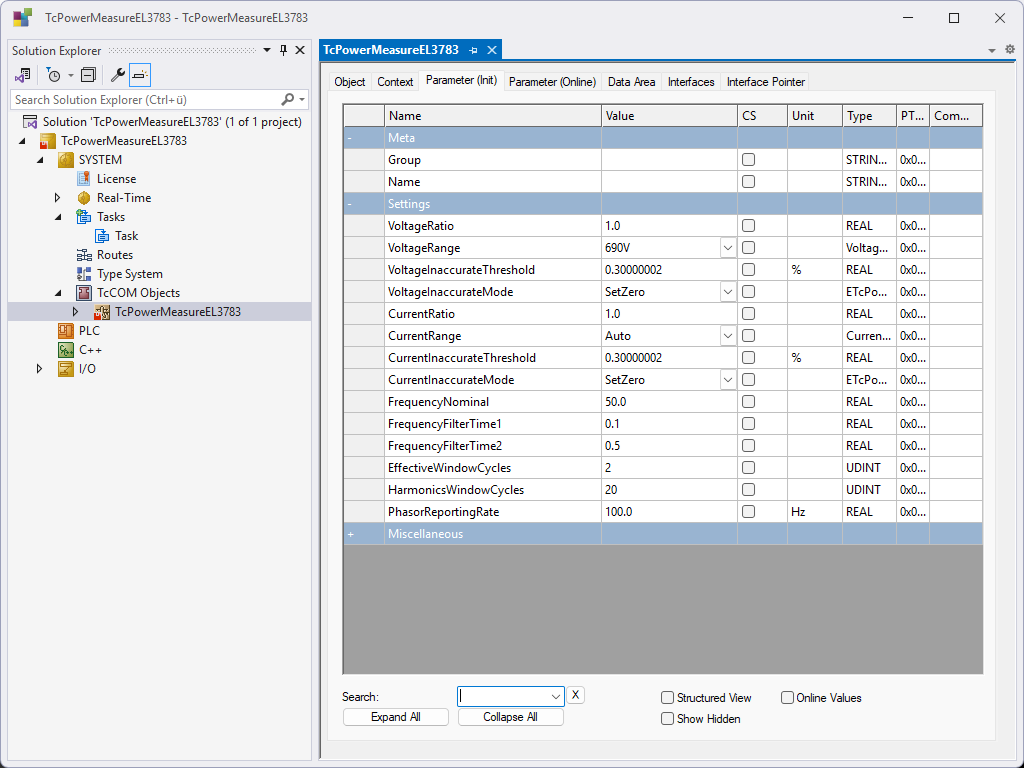
- 5. Make the required settings for the module, terminal and data processing in the Parameters (Init) tab.
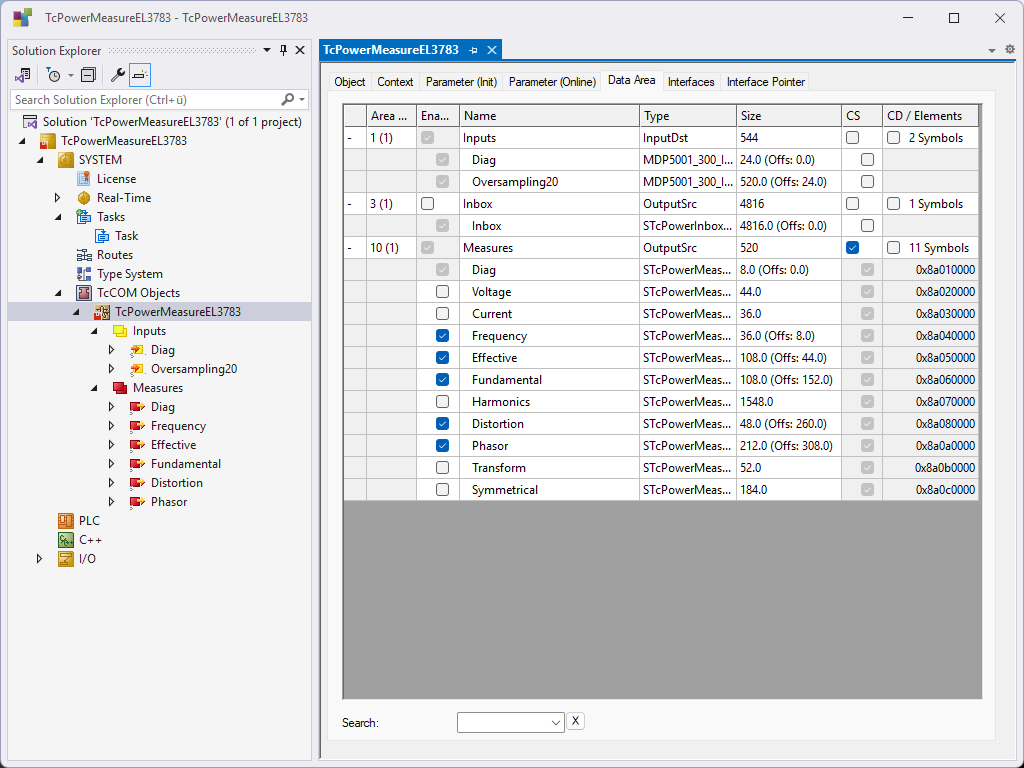
- 6. Activate the desired measurement data in the Data Area > Measures tab using the Enable checkbox (see Measure).
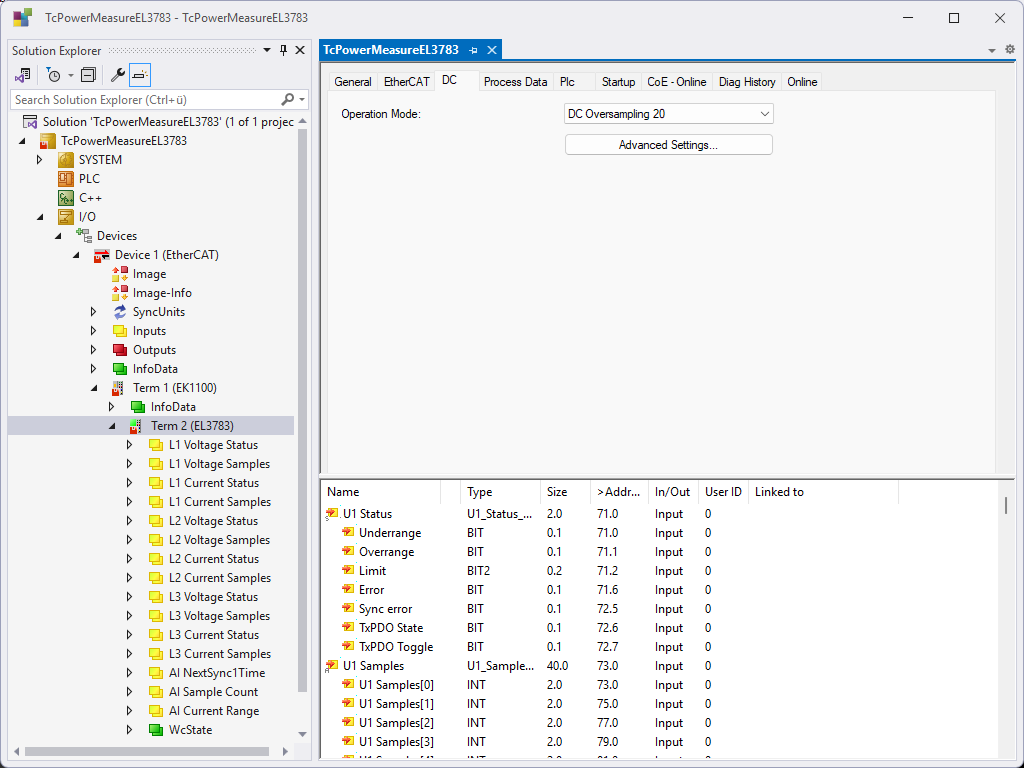
- 7. Select the EL3783 in the project tree of the Solution Explorer under I/O > Devices.
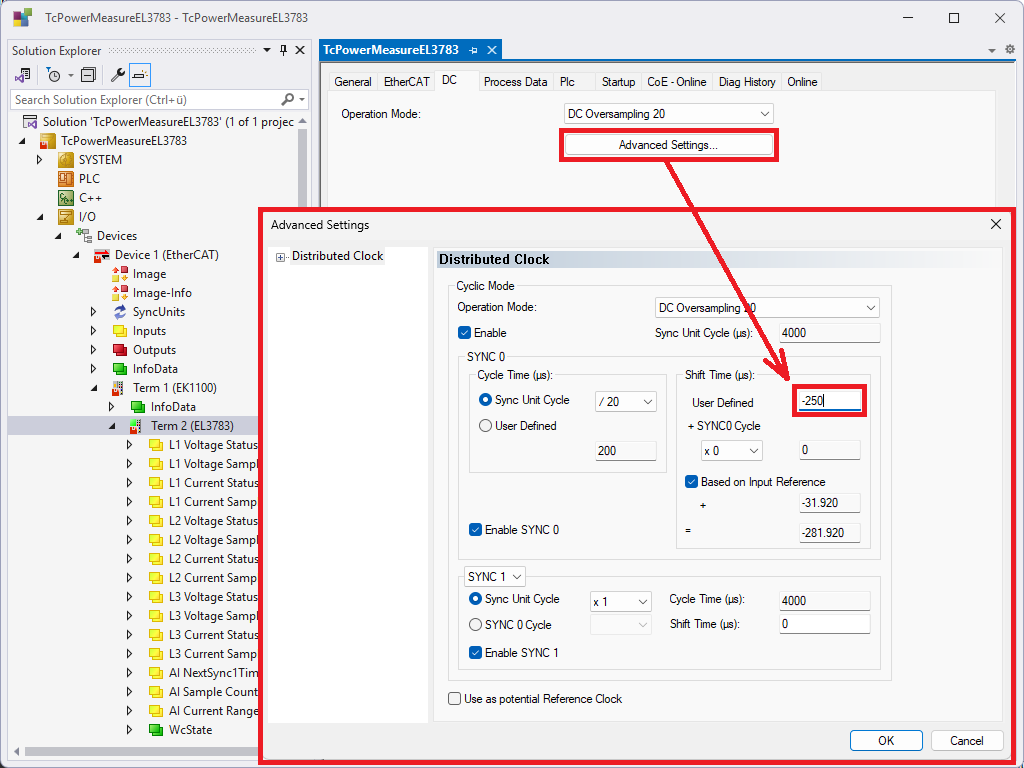
- 8. In the DC tab, select "DC Oversampling 20" as the Operation Mode.
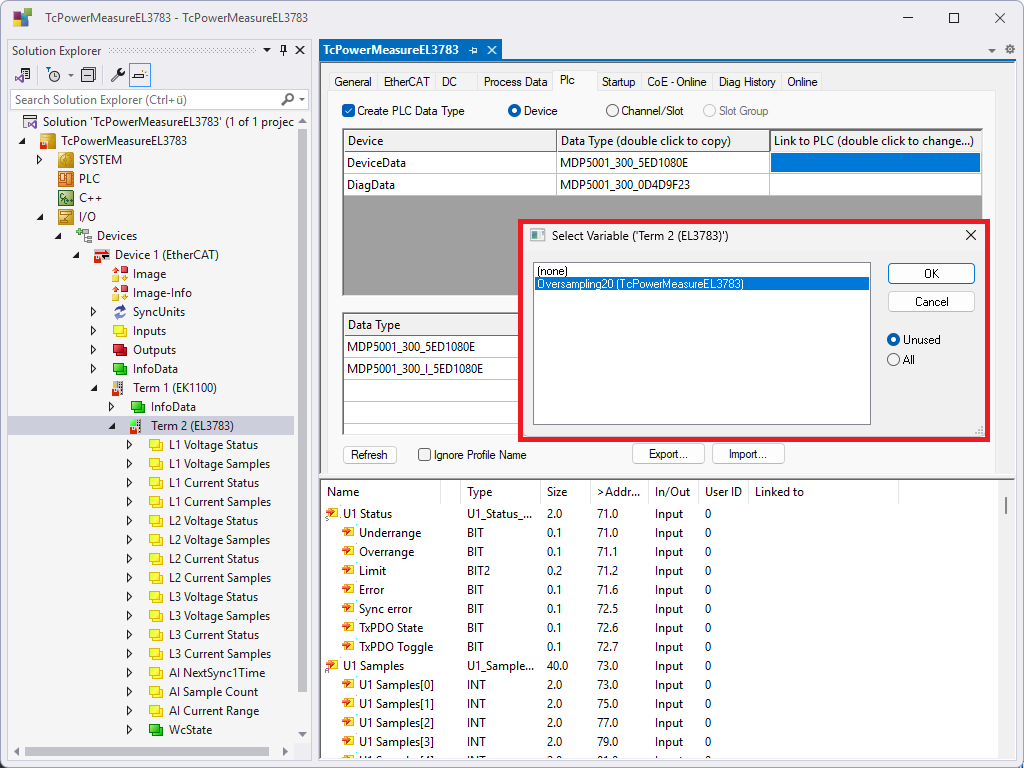
- 9. In the PLC Create PLC Data Type tab, activate .
- 10. Select the option Device.
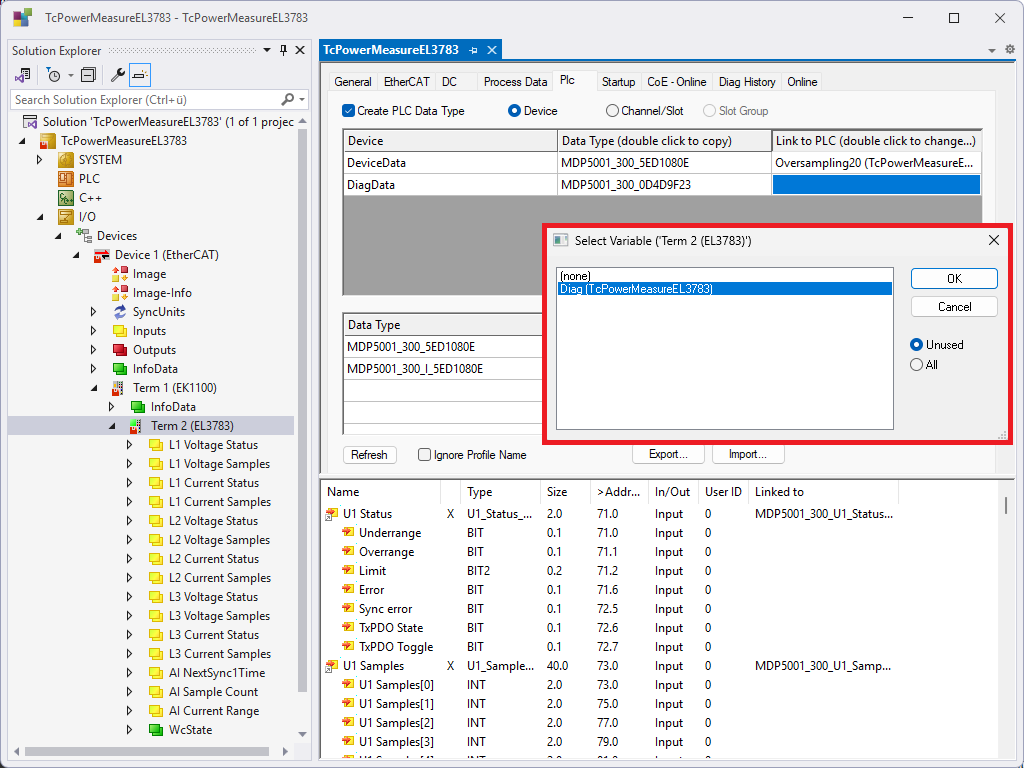
- 11. Double-click on Link To PLC... to create the link.
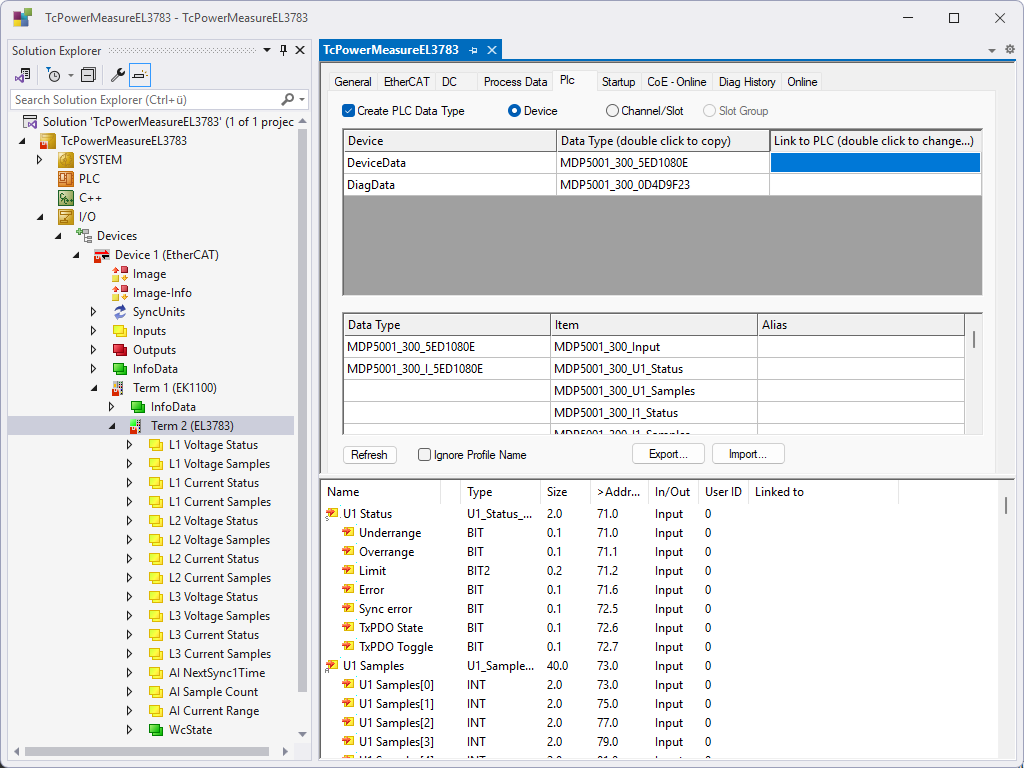
- 12. Link process data via DeviceData to the Oversampling20 area of the TcPowerMeasureEL3783 module.
- 13. Link diagnostic data to the area Diag of the TcPowerMeasureEL3783 module using DiagData.
- 14. Depending on the utilization of the real-time and the EtherCAT system, adjust the User Defined Shift Time under Distributed Clocks.
- By selecting Activate Configuration and starting TwinCAT on the target system, the configuration is put into effect. The validity of the measurement data can be checked using the bValid under the Data Area Measure in the Diag structure. Otherwise, the messages from TwinCAT should be checked in the output window.