Support Information Report
The Support Information Report is a tool for collecting product information for submission to Beckhoff technical support. By collecting product-relevant data such as system, configuration and log files, email traffic is significantly reduced and faster consultation is made possible. A general step-by-step guide to completing the report can be found in the following documentation.
One possible way to open the Support Information Report is to right-click on the TwinCAT icon in the taskbar (system tray), navigate to Tools and start the Support Information Report.
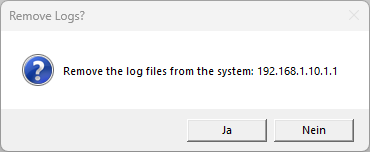
After opening the report window, first select the desired remote system. If the system is changed, a prompt appears asking whether the log files should be removed from the previously selected system. If the log files from both systems are relevant, e.g. if engineering and runtime are operated on different computers, then confirm this query with No. The additional paths are then added to the attachment fields.
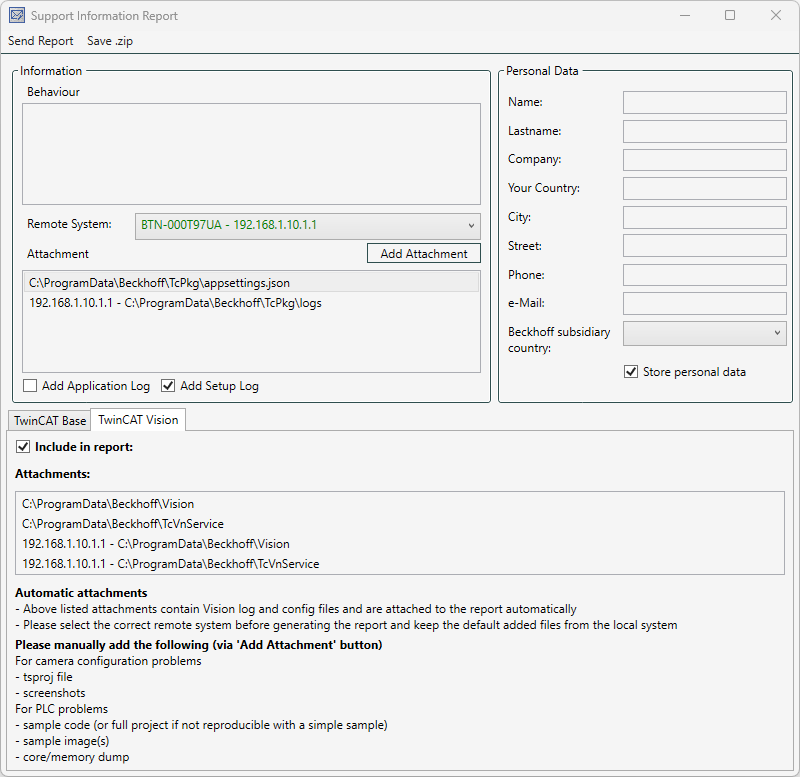
TwinCAT Vision specific settings
If the TwinCAT Vision Engineering workload (TF7xxx.Vision.XAE) is installed on your TwinCAT 3.1.4026 system, the TwinCAT Vision tab appears at the bottom of the report window.
Please note the following product-specific features:
- Include in report
Make sure that this checkbox is activated in the TwinCAT Vision tab. This automatically includes the Vision-specific log and configuration files from "C:\ProgramData\Beckhoff\Vision" and "C:\ProgramData\Beckhoff\\TcVnService" in the archive. - Add attachments manually
For specific problem analyses, the required files must be added manually. Add these using the Add Attachment button: - For camera configuration problems:
Attach the project file (.tsproj) as well as relevant screenshots and Wireshark® recordings if available. - For PLC problems:
Attach the minimum reproducible example code (or the entire project, if not otherwise possible), the example images used and any generated TwinCAT task / core / memory dumps.
 | Note on the file size of the ZIP archive The included folder "C:\ProgramData\Beckhoff\Vision" contains the subfolder "_CalibrationAssistantOutput" with the images of the calibration assistant, if this was used. To minimize the file size of the ZIP archive, delete unnecessary images from this directory before creating the report. |