Operating multiple cameras on one port
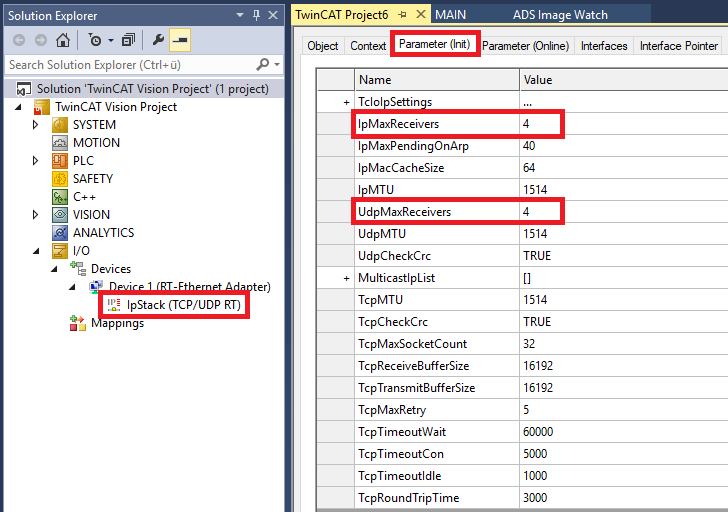
If you want to operate several cameras on the same RT Ethernet adapter, you must make sure that the UDP/IP settings allow this. Navigate to the UDP/IP stack under the RT Ethernet device and select the Parameter (Init) tab.
In the parameter list that appears, set IpMaxReceivers and UdpMaxReceivers such that they correspond to twice the number of cameras connected via this adapter. This is because there are two receivers per camera (GVCP and GVSP modules).
The default setting allows two camera connections, for which reason the parameters are set to 2 * 2 = 4.