Histogram view
The attributes and functions explained on this page can be found in the Common and Colors categories.
Property: ColorChannels
The ColorChannels property is an array with which the display of the individual color channels can be defined. The array can have 1-3 entries, with each entry containing the definition of a color channel. Specifically, the following details can be set for each color channel:
Color: Display color (color gradient also possible).Label: Labeling in the legend.Visible: Whether the channel is displayed.
If the entire property or individual values of a channel are not set, internal default values are used that depend on the value set in ImageConversion and ChartType. At ImageConversion = HSV, for example, the labels H-S-V are used. In addition, a corresponding color gradient is set for the H channel and grey values are set as color for the S and V channels:
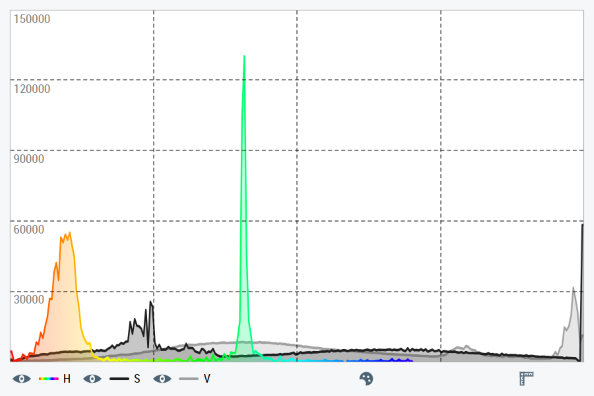
For mono images, it is suitable to process only the first color channel. To do this, two channels must be deleted in the ColorChannels property. If no manual label and/or no manual color is set for the remaining channel, a gray value gradient is automatically used as the display color and the label "G" (as an abbreviation for Gray).
Property: ChartType
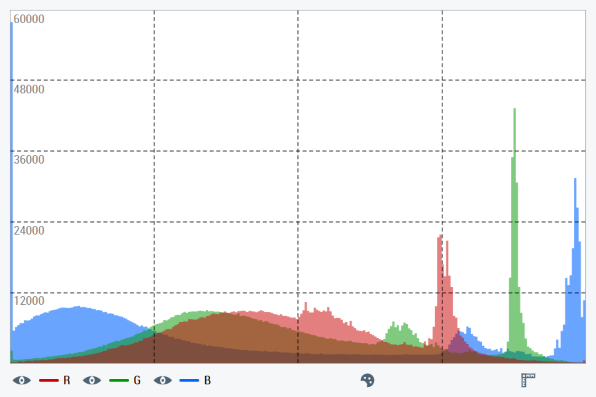
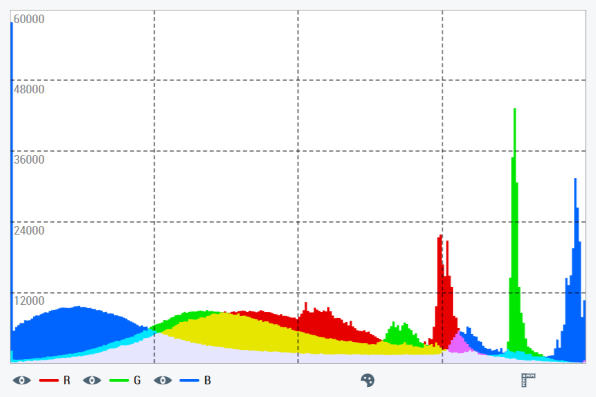
The ChartType property can be used to specify whether the histogram is to be displayed as a line chart (Line) or as a bar chart (Bar Overlay and Bar Mix). In Bar Overlay, the color channels are superimposed. If display colors are set manually with this setting, care should be taken to ensure transparency so that all channels remain visible. With Bar Mix, however, the display colors of the color channels are mixed when superimposed.
Example for Bar Overlay:
Example for Bar Mix:
Property: HistogramBackgroundColor
The background color of the histogram can be adjusted using the HistogramBackgroundColor property. Especially when using the Bar Overlay chart type, adjusting the background color can be helpful to keep all channels clearly visible. As the data rows are transparently superimposed in this mode, the background shines through the color channels and influences their contrast.