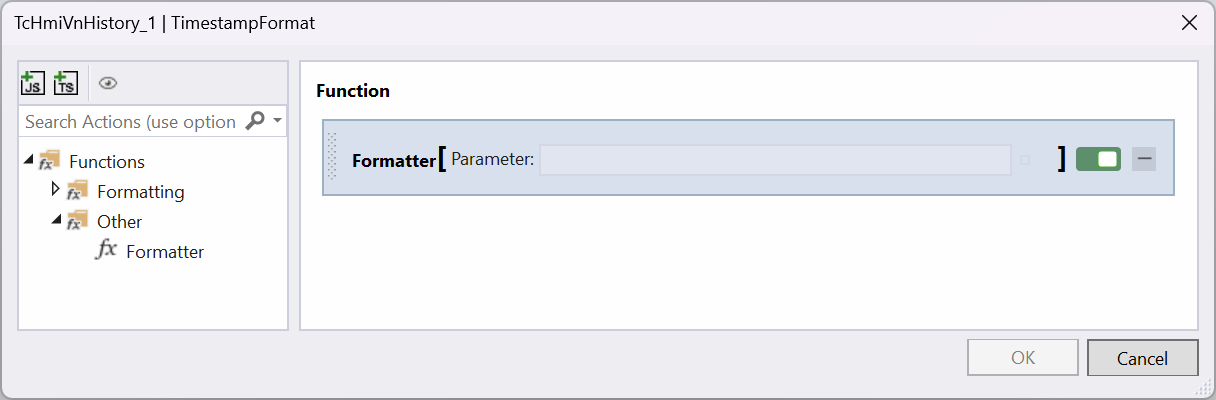
TimestampFormatting function
As an alternative to the internal formatting function, a user-defined formatter function can be created to format the timestamp. The function receives the timestamp of the image and returns a formatted string that is displayed in the image list. The following example shows how such a function is created and which interfaces it must have.
 | The general use of functions is explained in the HMI documentation. |
After creating the TypeScript function, a parameter of type “Number” must be created. This receives the timestamp analogous to the ImageTimestamp property of the ImageWatch control.
The function must return a value of type “String”, which is then displayed in the image list. The function is called for each list entry whenever a new timestamp needs to be displayed.
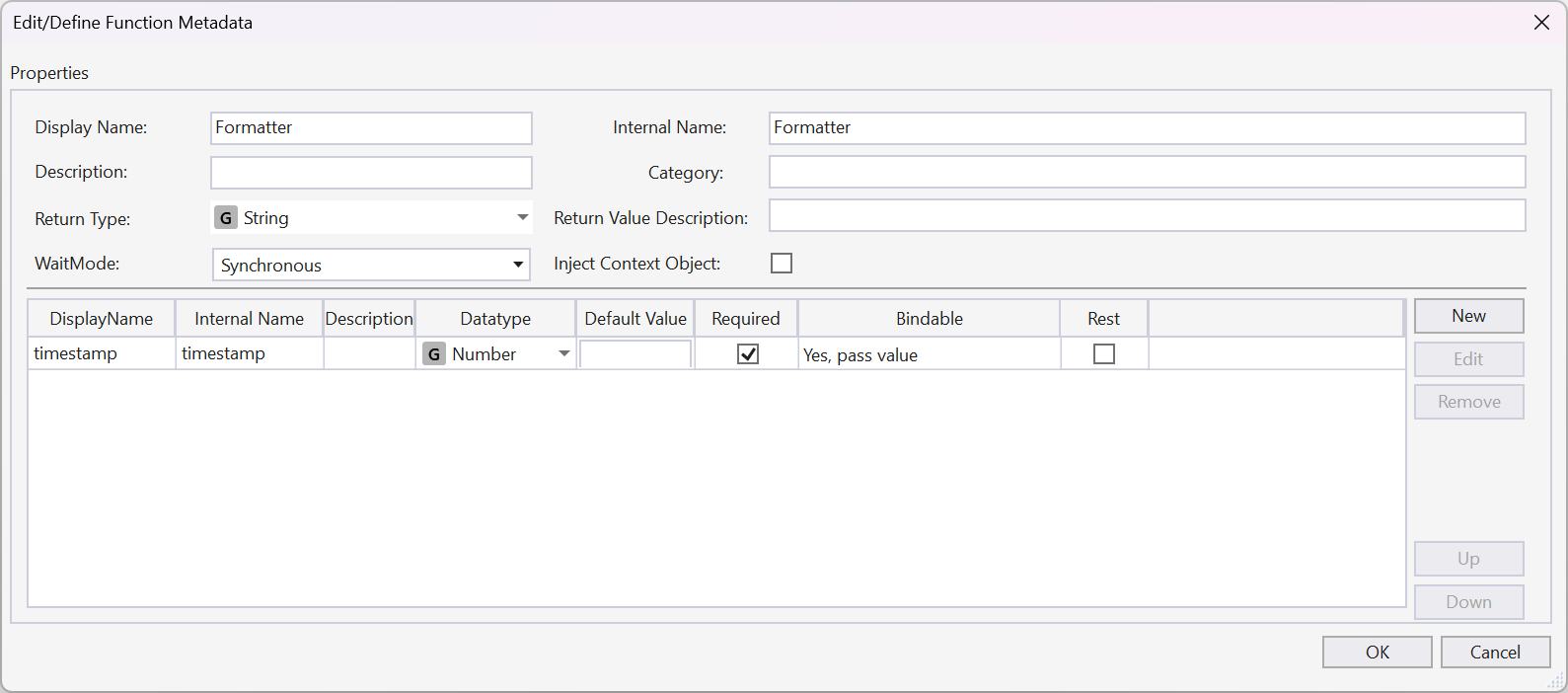
In the following code example, the timestamp is converted into a local date format with time and returned.
namespace TcHmi {
    export namespace Functions {
        export namespace TcHmiProject {
            export function Formatter(timestamp: number) {
                return new Date(timestamp).toLocaleString();
            }
        }
    }
}
TcHmi.Functions.registerFunctionEx('Formatter', 'TcHmi.Functions.TcHmiProject', TcHmi.Functions.TcHmiProject.Formatter);
To use a formatter function you have created, click on the Select button at the TimestampFormat property and select the function you have just created in the Function Editor.