Status LED
The described widget is suitable for displaying a status LED in the app. The various configuration options are described below. In the figure all available features of the widget are active.
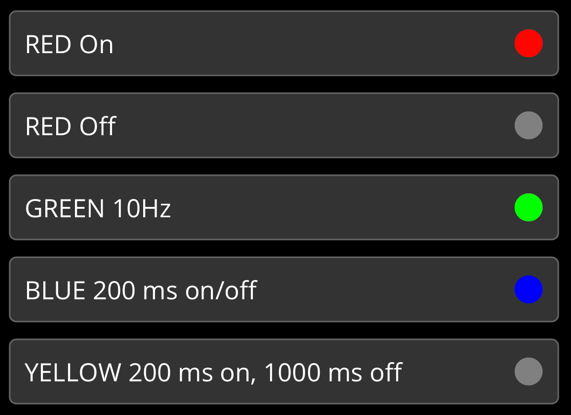
To create a status LED, a UDINT variable is assigned a specific attribute.
{attribute 'iot.DisplayName' := 'Name for Widget'}
{attribute 'iot.WidgetType' := 'StatusLED'}
nStatusLEDWidgetSample : UDINT := 16#FF0000FF;
Attribute | Data type | Description |
|---|---|---|
iot.DisplayName | STRING | The display name of the widget in the app. |
iot.WidgetType | STRING | Type specification for the widget, in this case: StatusLED. |
The hexadecimal value is made up as follows:
0xBLBUGNRD
Places | Description |
|---|---|
BL | Flashing value (see below) |
BU | Blue |
GN | Green |
RD | Red |
The following table describes the various flashing values:
Value | Description |
|---|---|
0x00 | LED of. |
0x01 | 1 Hz. |
0x02 | 2 Hz. |
… | … |
0x0A | 10 Hz. |
0x81 | 200 ms on, 1000 ms off. |
0x82 | 200 ms on, 200 ms off, 200 ms on, 1000 ms off. |
0xFF | LED permanently on. |
Example configurations:
LED color | LED switched on | LED switched off |
|---|---|---|
Red | 0xFF0000FF | 0x000000FF |
Green | 0xFF00FF00 | 0x0000FF00 |
Blue | 0xFFFF0000 | 0x00FF0000 |
Yellow | 0xFF00FFFF | 0x0000FFFF |
White | 0xFFFFFFFF | 0x00FFFFFF |