Configuration of the push agent
The push agent is currently available on Windows and can be installed via TcPkg (see Installation). The installation saves a configuration file under the following path:
C:\ProgramData\Beckhoff\TwinCAT\Functions\TF6735-IoT-Communicator\TcIotPushAgent.conf
In this configuration file, the connection between push agent and message broker can be configured. In addition, the creation of a log file can also be activated.
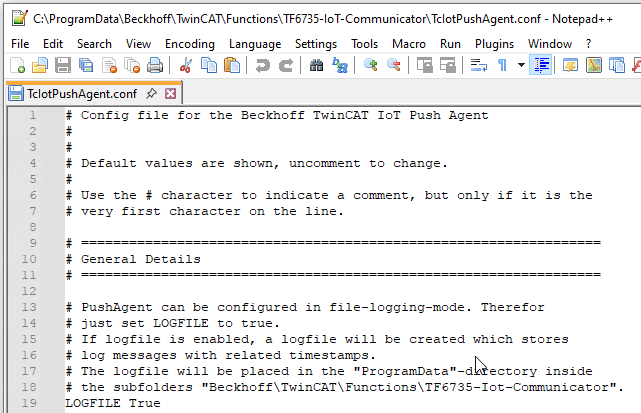
Settings within the file
Setting | Default | Values | Description |
|---|---|---|---|
LOGFILE | False | False/True | Activation of a log file. Is saved under C:\Program Data\Beckhoff\TwinCAT\Functions\TF6735-IotCommunicator. |
HOST | 127.0.0.1 | - | IP address or host name of the MQTT broker to which the push agent should connect. |
PORT | 1883 | - | Port number of the broker, usually 1883 or 8883 for MQTT communication. |
TOPIC | test | - | Main topic via which the messages from the associated PLC program are communicated. |
USE_USR_PWD_AUTHENTICATION | False | True/False | True if authentication with user name and password is to be used. |
USERNAME | - | - | User name for the connection to the Message Broker. |
PASSWORD | - | - | Password for the connection to the message broker |
USE_TLS_ENCRYPTION | False | True/False | True if TLS encryption is to be used. |
TLSVERSION | - | tlsv1, tlsv1.1, tlsv1.2, tlsv1.3 | TLS version used. |
CAFILE | - | - | Path to the CA certificate |
PFXFILE | - | - | Path to the client certificate (PFX). |
PFXPASSWORD | - | - | Password for the PFX file. |
ALLOWUNTRUSTED | - | True/False | This setting disables the validation of the server certificate. |