Sampled Values
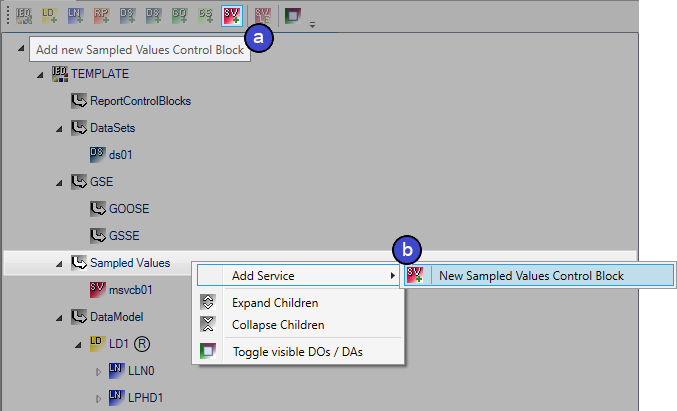
Sampled Values Control Blocks can be generated via a button in the toolbar (a), or alternatively from the context menu in the data model tree under Sampled Values (b).
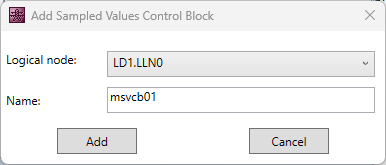
The assignment to a Logical Node can be selected in the dialog, as can a corresponding name.
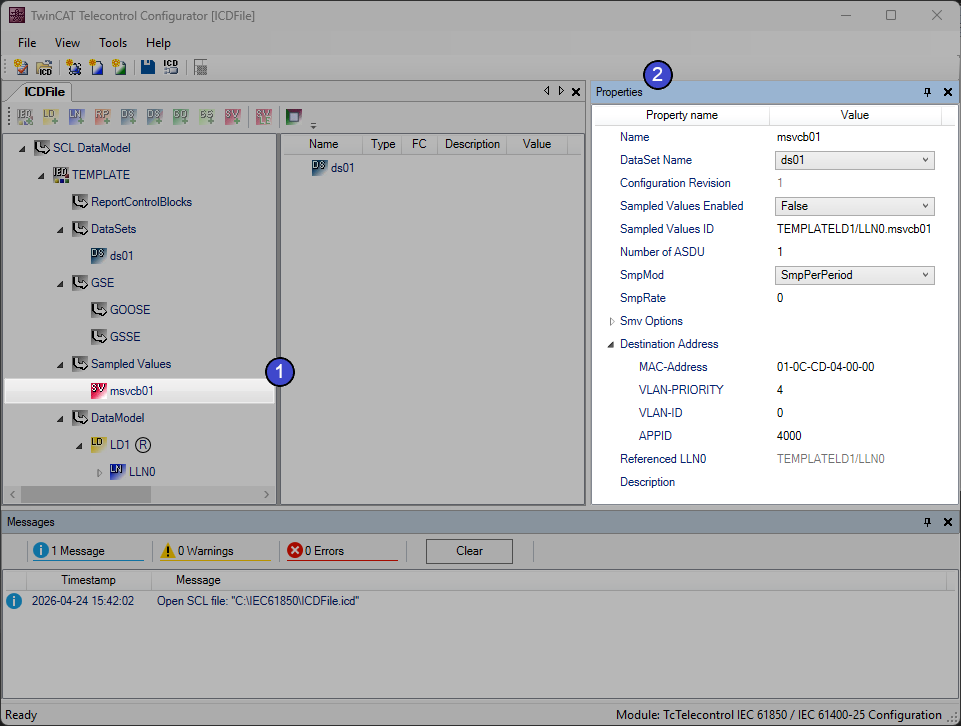
If you select the Sampled Values block created in the tree (1), you can make Sampled Values-specific settings in the Properties and thus implement the link to one of the created DataSets (2), for example.
Light Edition (9-2-LE)
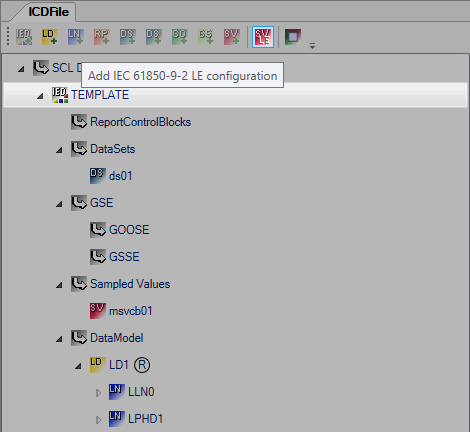
If you select an existing IED in the tree, you have the option of adding a finished configuration in accordance with IEC 61850-9-2-LE (Light Edition) using the button in the toolbar.
In the following dialog, you have the option of setting the standard configurable settings. The settings are validated. If a value is invalid, a note indicating the valid range of values is displayed in the corresponding tooltip. In addition, the tooltip for the “Add” button displays all the settings that still need to be configured.
Dialog when starting (left) and after entering some sample values (right):
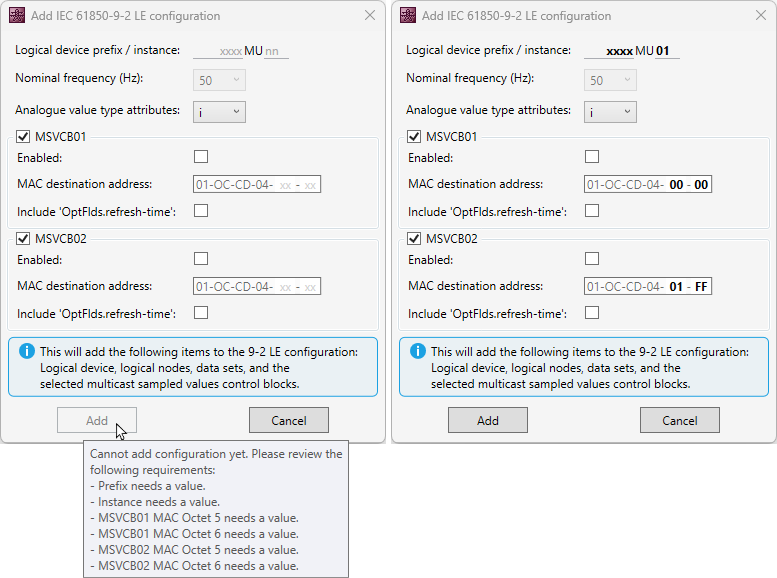
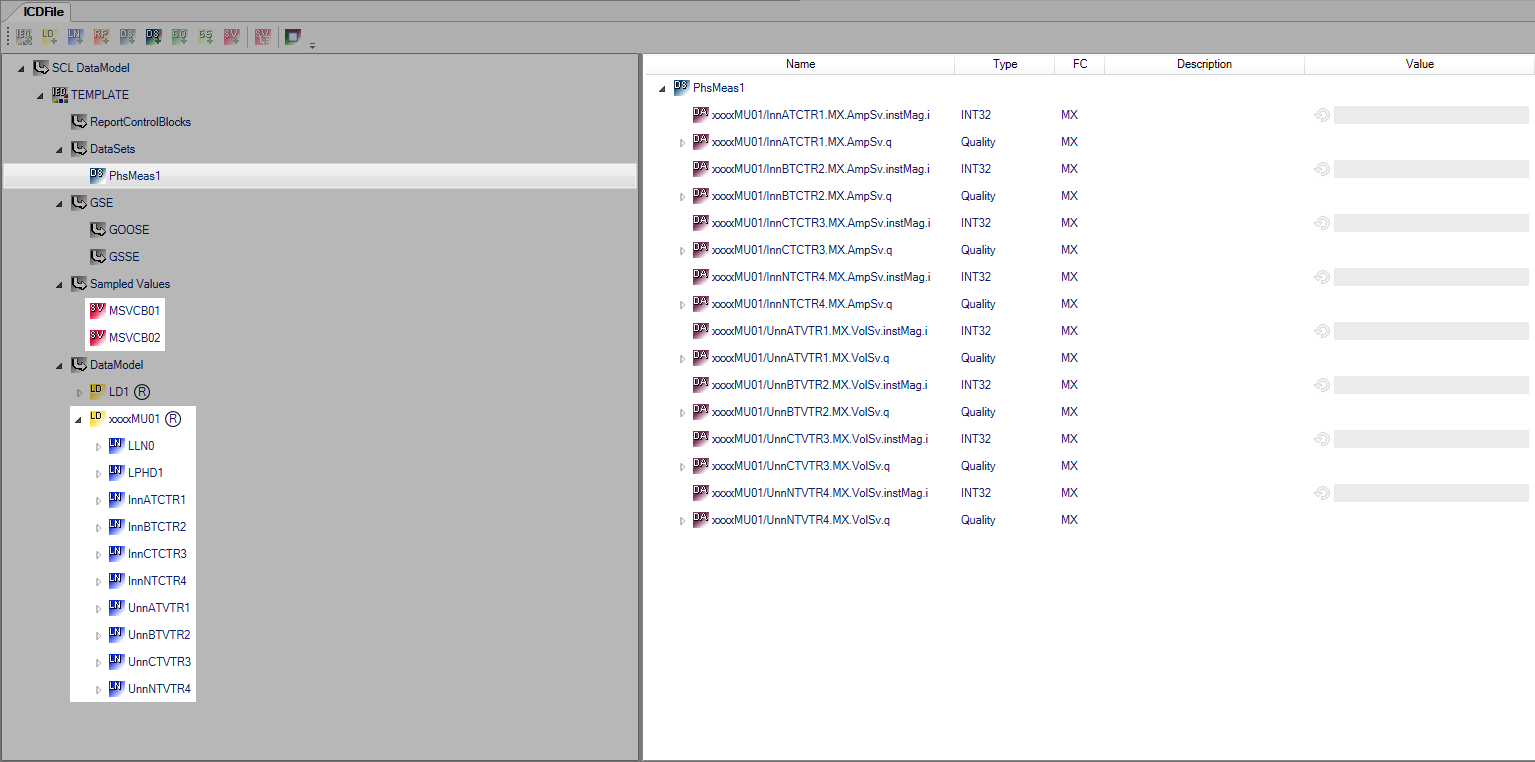
Confirm the dialog to add a complete configuration in accordance with IEC 61850-9-2-LE (Light Edition) to the current project. This contains a logical device preconfigured in accordance with the standard, a preconfigured data set, and the desired Sampled Values blocks.
If you want to remove the entire configuration again, you only need to delete the logical device.
You can find an example of the TwinCAT IEC 61850 implementation in chapter: SV Publisher/Subscriber according to UCA 61850-9-2 Light Edition - Transmission of sampled measured values