Linking details
After successful linking of the Tiles TcCOM objects with the physical tiles of the I/O, the linking is indicated by gray arrows at the individual Data Pointer variables of the TcCOM objects. You now have the option to view more details about the linking.
 | Linking example This chapter uses a successful PowerUnitStatusWord linking as an example to show you how to display the details of the linking. |
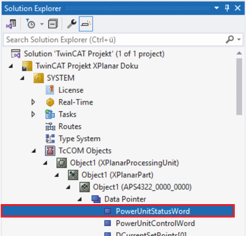
- ►Expand Solution-Explorer > System > TcCOM Objects > Object (XPlanarProcessingUnit) > Object (APS4322_0000_0000) > Data Pointer
- ►Click on PowerUnitStatusWord
- ►Click on the Variable tab in the project window
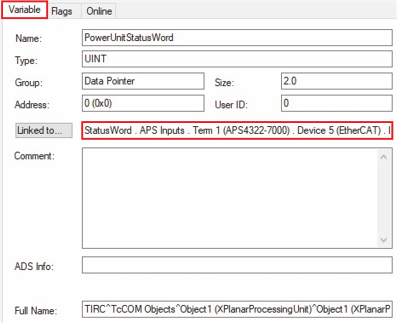
Details of the linking are displayed at Linked to ….