PowerUnitStatusWord
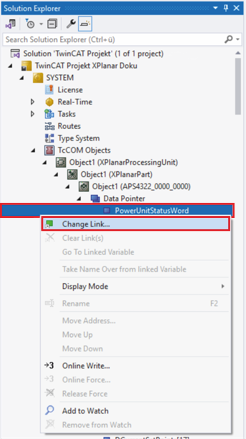
- ►Expand Solution-Explorer > System > TcCOM Objects > Object (XPlanarProcessingUnit) > Object (APS4322_0000_0000) > Data Pointer
- ►Right-click on PowerUnitStatusWord to open the context menu
- ►Click on Change Link … in the context menu
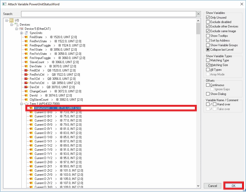
The Attach Variable PowerUnitStatusWord dialog box opens.
- ►Expand I/O > Devices > Term 1 (APS4322‑7000)
- ►Select StatusWord
- ►Confirm with OK
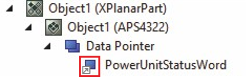
A gray arrow on the variable indicates successful linking.
Further information can be found in chapter Linking details.