Defining parameters
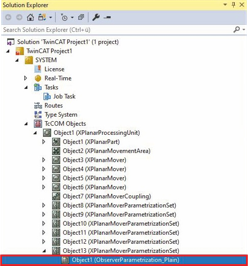
- ►Expand Solution Explorer > TcCOM Objects > Object (XPlanarProcessingUnit) > Object (XPlanarMoverParametrizationSet)
- ►Double-click on Object (ObserverParametrization_...)
 | Pre-set values The Observer parametrizations for the APM4220-0000, APM4330-0000 and APM4550-0000 movers have pre-set values for the parameters K1, K2, K3 and d_ec. If necessary, you can adjust the mover-specific values; they serve as a guide when determining your values. The Plain parametrization set has no pre-set values and can be used for a mover coupling. |
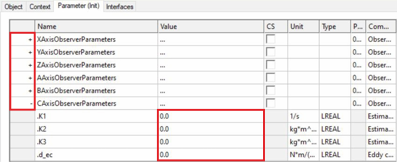
- ►Click the Parameter (Init) tab in the project window
- ►Click on + of XAxisObserverParameters, YAxisObserverParameters, ZAxisObserverParameters, AAxisObserverParameters, BAxisObserverParameters and CAxisObserverParameters to call up the input fields for the filter parameters of the axes
- ►Enter or change values for K1, K2, K3 and d_ec