Starting Mover Detection
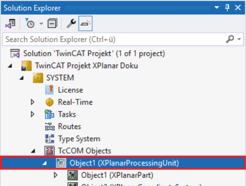
- ►Expand Solution Explorer > System > TcCOM Objects
- ►Click on Object (XPlanarProcessingUnit)
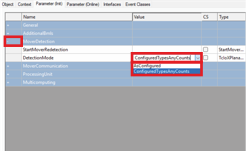
- ►Click the Parameter (Init) tab in the project window
- ►Expand MoverDetection
- ►Select AsConfigured in the DetectionMode drop-down menu if Mover Detection is to be executed until the number of detected and expected movers matches
OR
- ►Select ConfiguredTypesAnyCounts in the DetectionMode drop-down menu if the Mover Detection is to be run through once
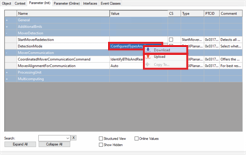
- ►Right-click in the DetectionMode input field to open the context menu
- ►In the context menu click Download
Further Information