Control of Mover Identification
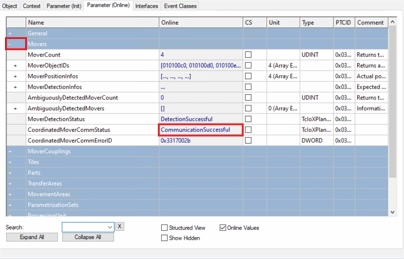
- ►Click on the Parameter (Online) tab in the project window
- ►Expand Movers
- ►Check status of CoordinateMoverCommStatus
 | Mover Identification error If the Mover Identification was not successful, check the entries for the AccessoryIDs and BTN of all movers and restart the Mover Identification. This error often occurs when there is no power supply and the system is in emergency shutdown. |